
Building
From a sentence to a tried, live app
- Describe it, get a plan
- Templates
- Change it by asking the AI, or as a form
- Try it before it goes live
- Untried versions marked Not tried
- Locked versions
- Restore for 30 days
Product
Every screen here is the real product, running in a demo workspace on fictional documents.
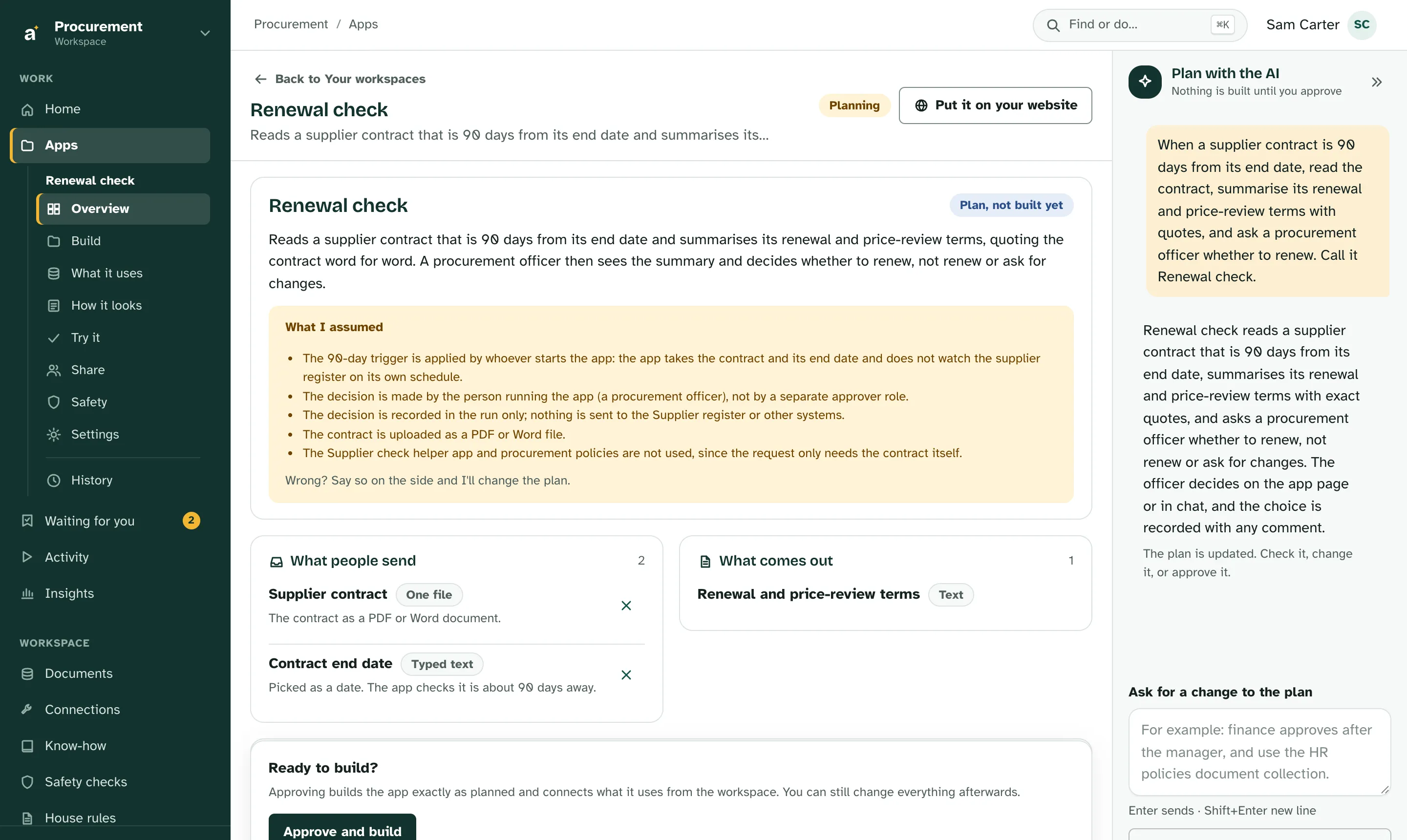
Say what goes in, what comes out and who checks the work. The AI builder asks up to three questions, then shows a plan, including what it reuses from your workspace: the data sources, the tools and the rules that already apply.
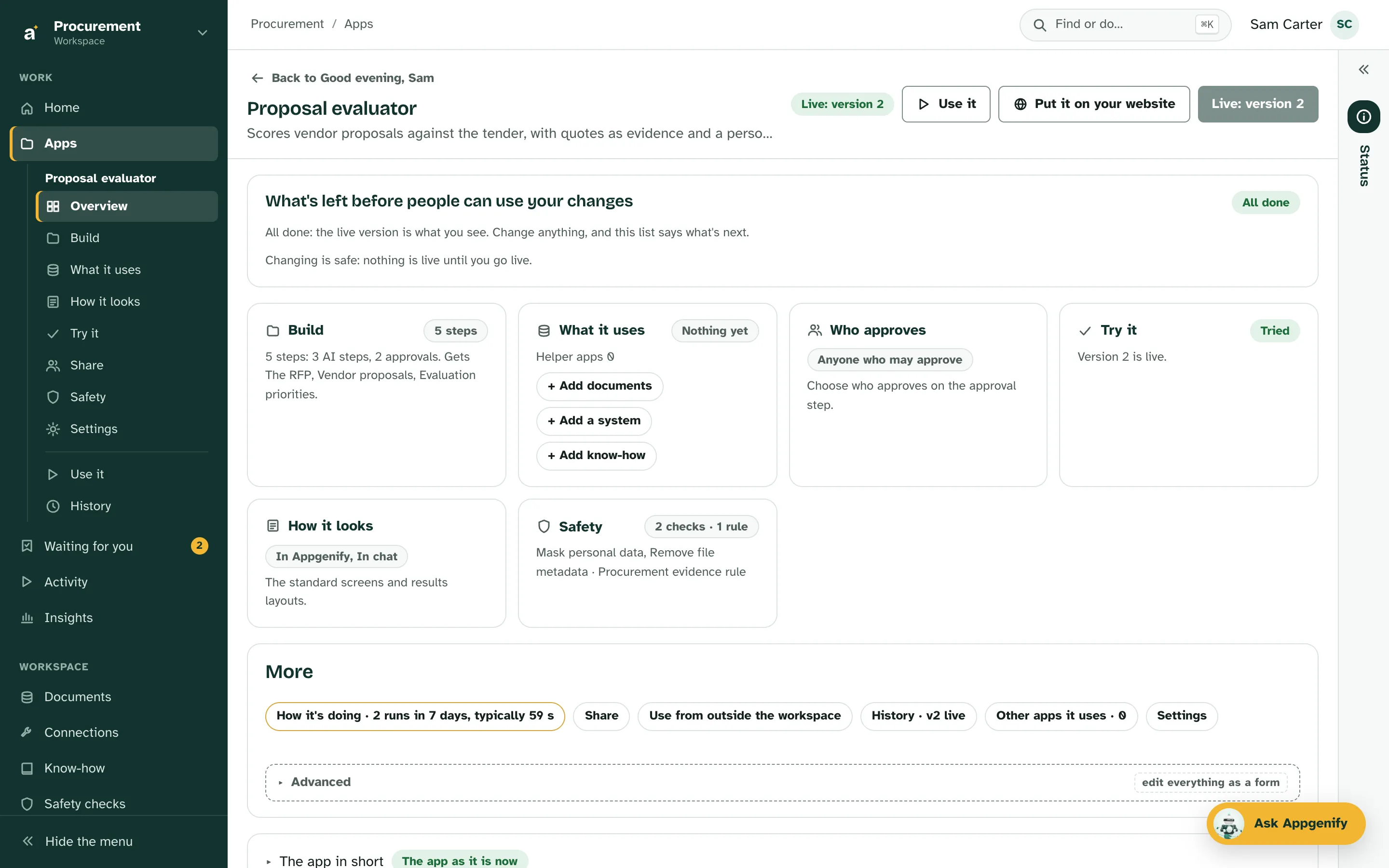
Each app opens on an overview of its steps, what it uses, who approves, how it looks and its safety checks, with what's left before people can use your changes. Ask the AI for a change, or edit every part as a form.
Knowledge (RAG)
Connect a source once and every app in the workspace can search it. Appgenify indexes it on your servers, searches by keyword and by meaning together, and every answer quotes the passages it used. A chat can also show when each source was last updated.
 Uploaded filesPDF, Word, PowerPoint, Excel, CSV, text, Markdown, HTML, JSON, XML
 Server foldersFolders on your own servers an administrator allows
 Public websitesThe pages under an address, as a visitor sees them
 DatabasesChosen tables, read-only: PostgreSQL, MySQL, MariaDB, SQL Server, Oracle
 S3 storageAmazon S3 or your own MinIO or Ceph
 ConfluenceCloud, Server or Data Center
 SharePoint and OneDriveThrough an app your Microsoft 365 admin registers, or your Microsoft 365 connection
 Google DriveDocs, Sheets and Slides in a shared folder, or through your Google Workspace connection
 SalesforcePublished Knowledge articles and closed cases
 JiraThe issues a JQL search finds, with comments, from Cloud or Data Center
 ServiceNow knowledgePublished articles of your knowledge bases
 Zendesk help centerHelp center articles, in the languages you choose
 Liferay DXPWeb content, knowledge base articles and blog posts


 Headless CMSStrapi, WordPress, Directus, Contentful, Sanity
Sources in someone else's cloud, such as Google Drive, SharePoint, Salesforce, Zendesk, Contentful and Sanity, need your server to reach the internet; everything on your own servers can stay inside your network. Searches respect the AI providers your workspace allows. Files can be up to 25 MB and spreadsheets up to 500,000 rows a sheet, and where your PostgreSQL has pgvector, large collections are searched in about a tenth of a second.
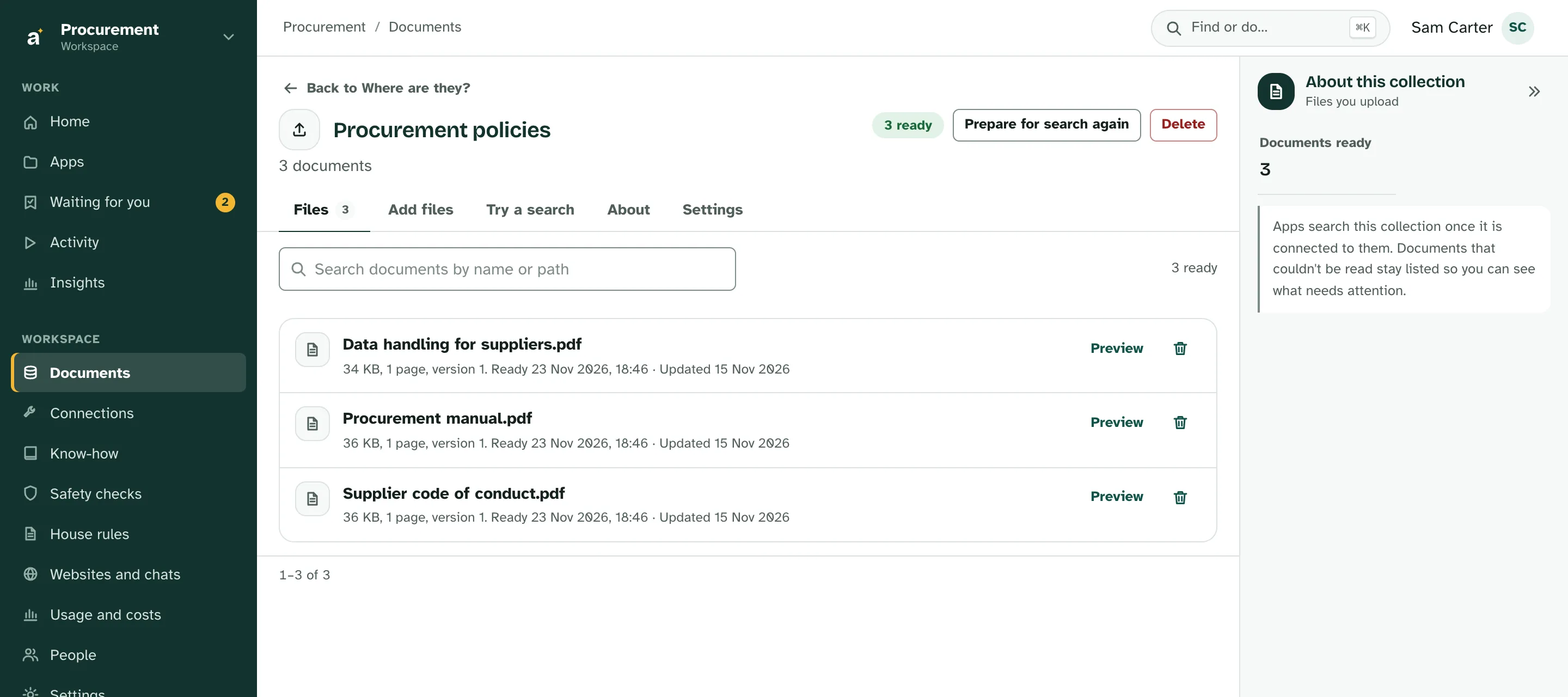
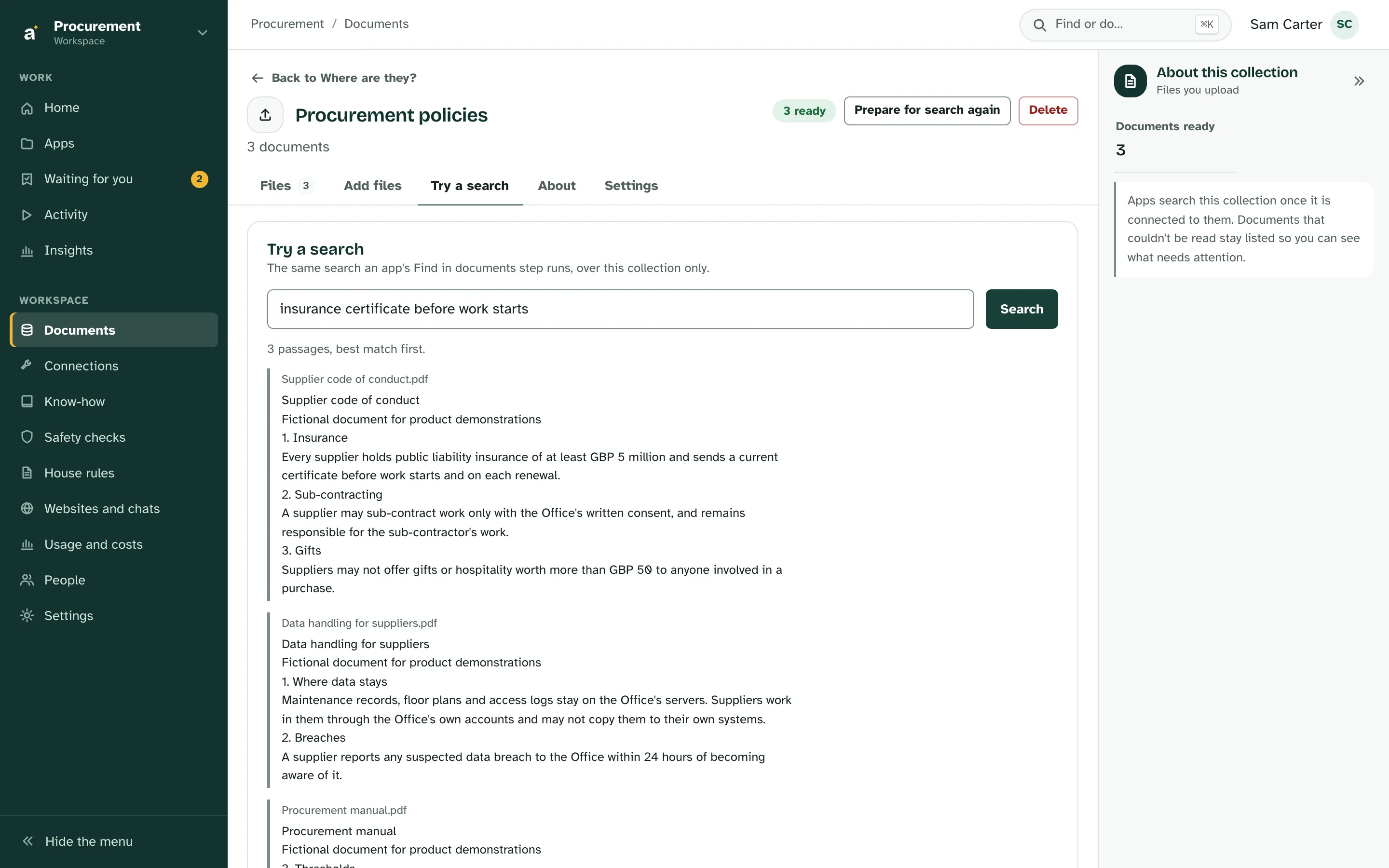
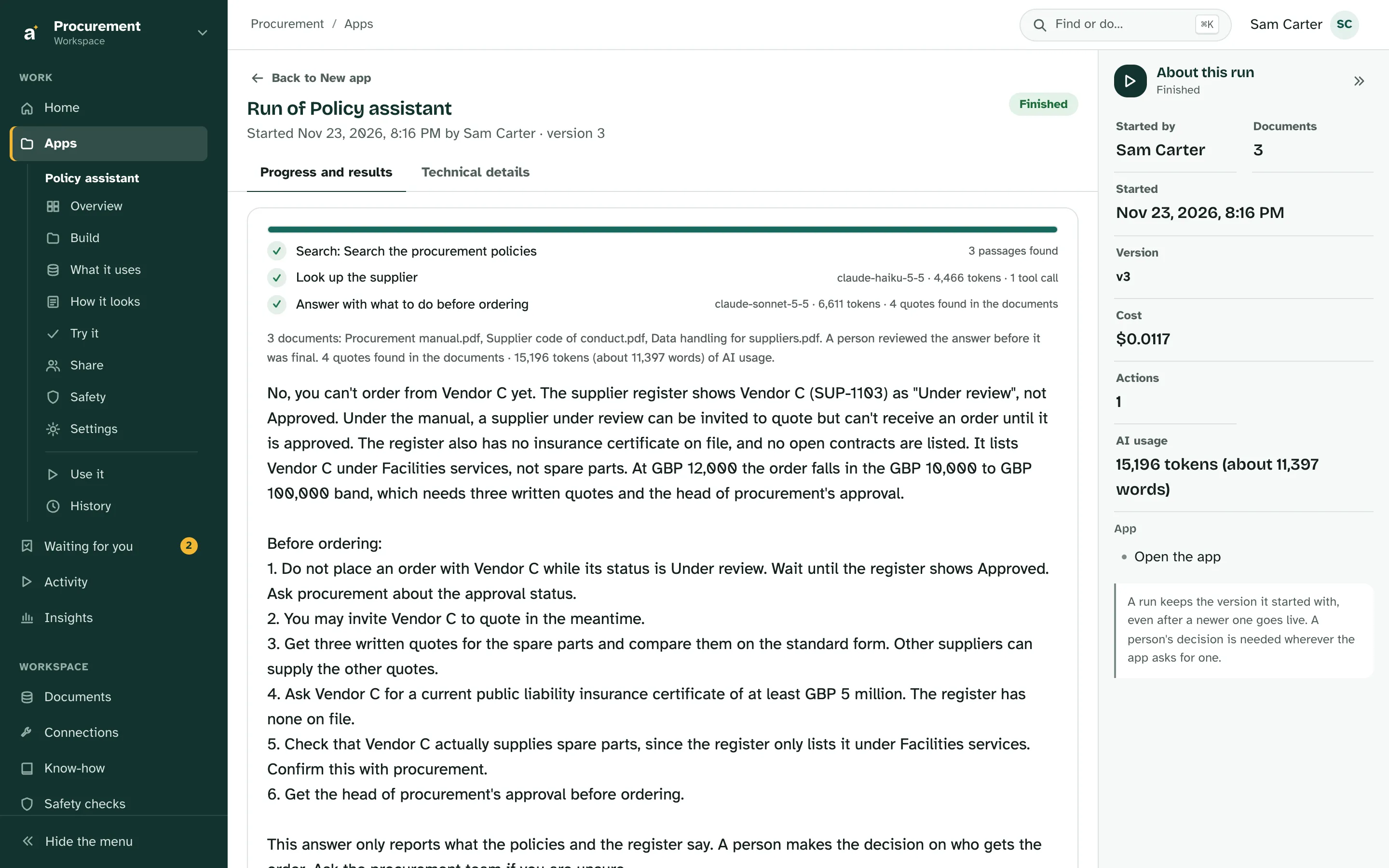
Asked whether an order can go to a supplier, the Policy assistant answered from three policy documents and the supplier register, quoting each passage. The platform found every quote in its document before showing it.
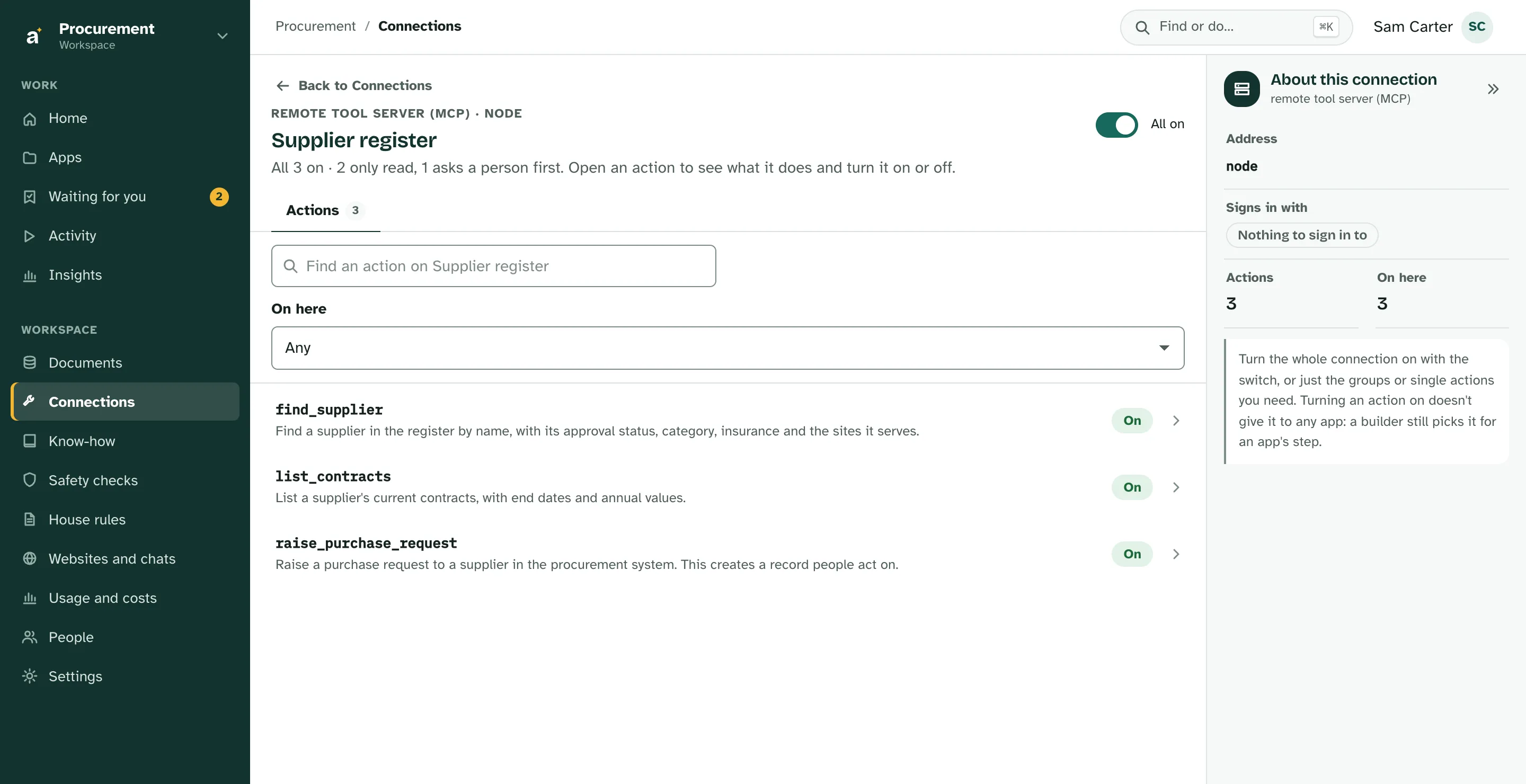
Connections and MCP
Pick a system from the connector library and it's ready to use: the actions are chosen, named in plain words and classified, with a starter app and setup notes for your IT team. People connect their own accounts, so each call runs with their permissions in that system; a run that needs someone's account waits for them to connect it. Anything that sends or signs something to people outside always asks a person first, and when a library connection gets a new version, yours updates in place once you confirm.
 EmailBuilt in: any mail server over SMTP and IMAP, offline too
 Microsoft 365Outlook mail and calendar, Teams, OneDrive and SharePoint files, and people
 Google WorkspaceGmail, Google Calendar and Google Drive, as each person
 Google SheetsRead ranges and add rows, as each person
 Atlassian CloudJira, Confluence and Jira Service Management
 Jira Data CenterIssues on your own Jira server, offline too
 ServiceNowIncidents, requests, changes and knowledge articles
 Zendesk SupportTickets, replies and internal notes
 SalesforceFind, read, create and update records, as each person
 HubSpotSearch and update CRM records, as each person
 SlackSearch, read and post, as each person
 DocuSignCheck, send and chase envelopes, as each person
 WhatsApp BusinessApproved templates and replies from a business number
 GitHubCode, issues and pull requests on github.com, as each person
 GitHub on your own serverGitHub Enterprise Server, offline too
Every connector, its actions and what asks a person first
For anything else, platform administrators register MCP servers, over HTTP or as a local process on your servers, and REST APIs from an OpenAPI document, and a workspace can add its own if the platform allows. Each tool is classified as read-only or as having side effects before it can be used, and an app calls it from an agent or directly as a step of its flow.
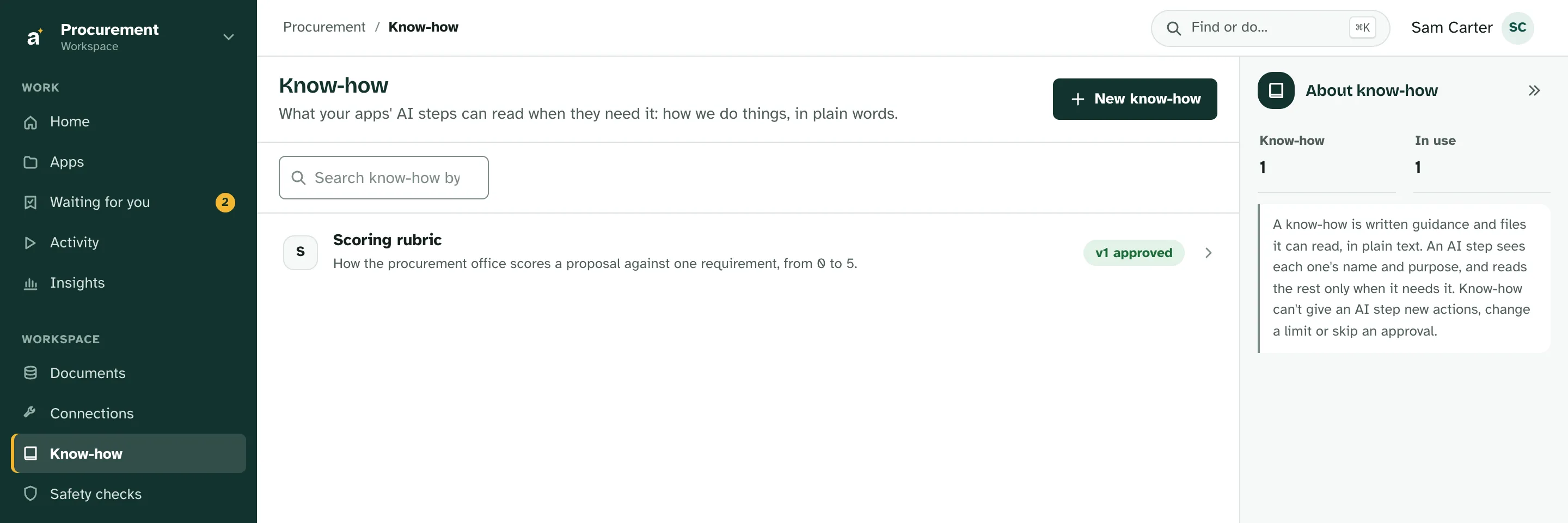
Know-how is versioned, plain-text guidance for agents: what it's for, its instructions and any reference files. A new version is used only once someone who may manage know-how approves it.
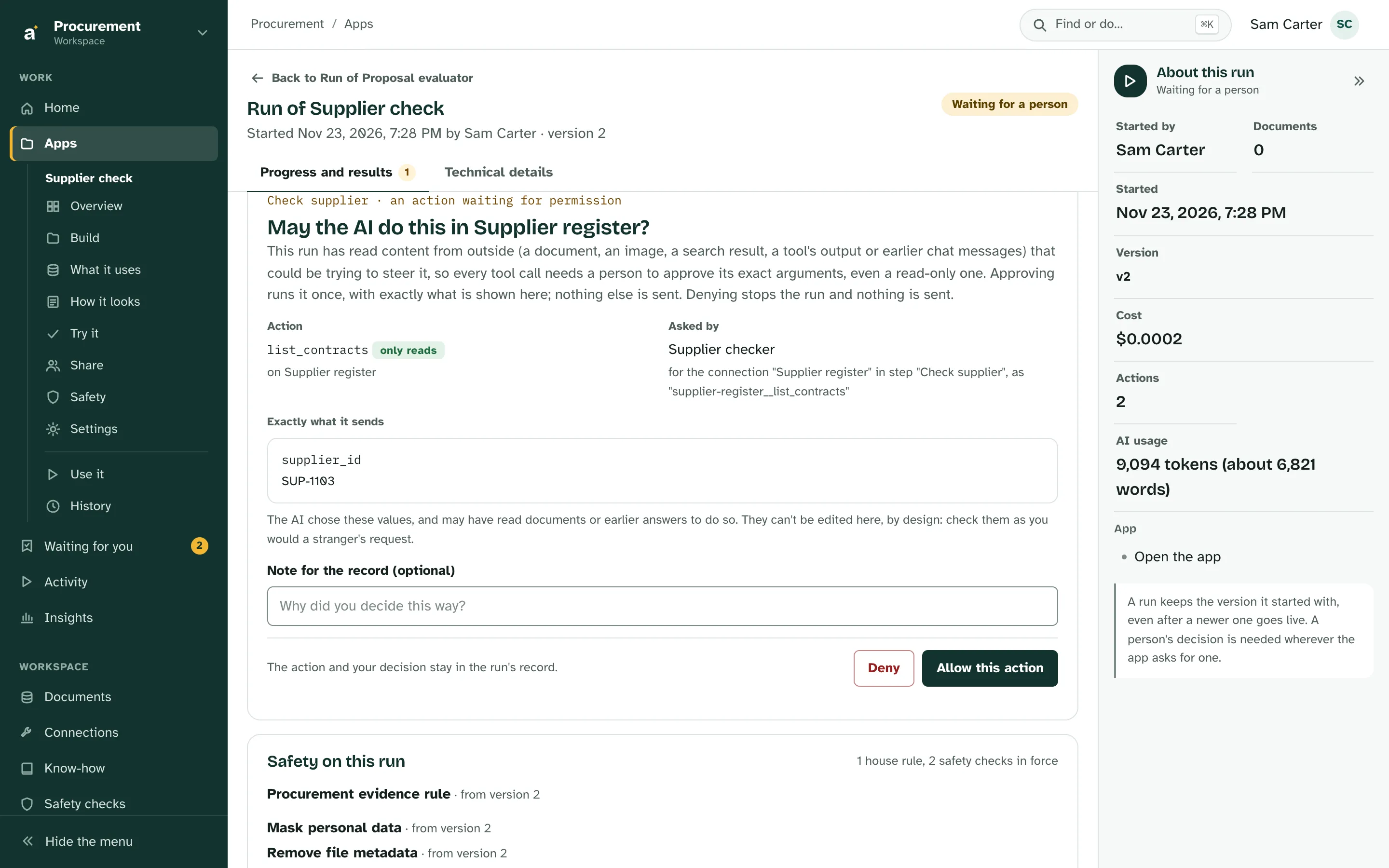
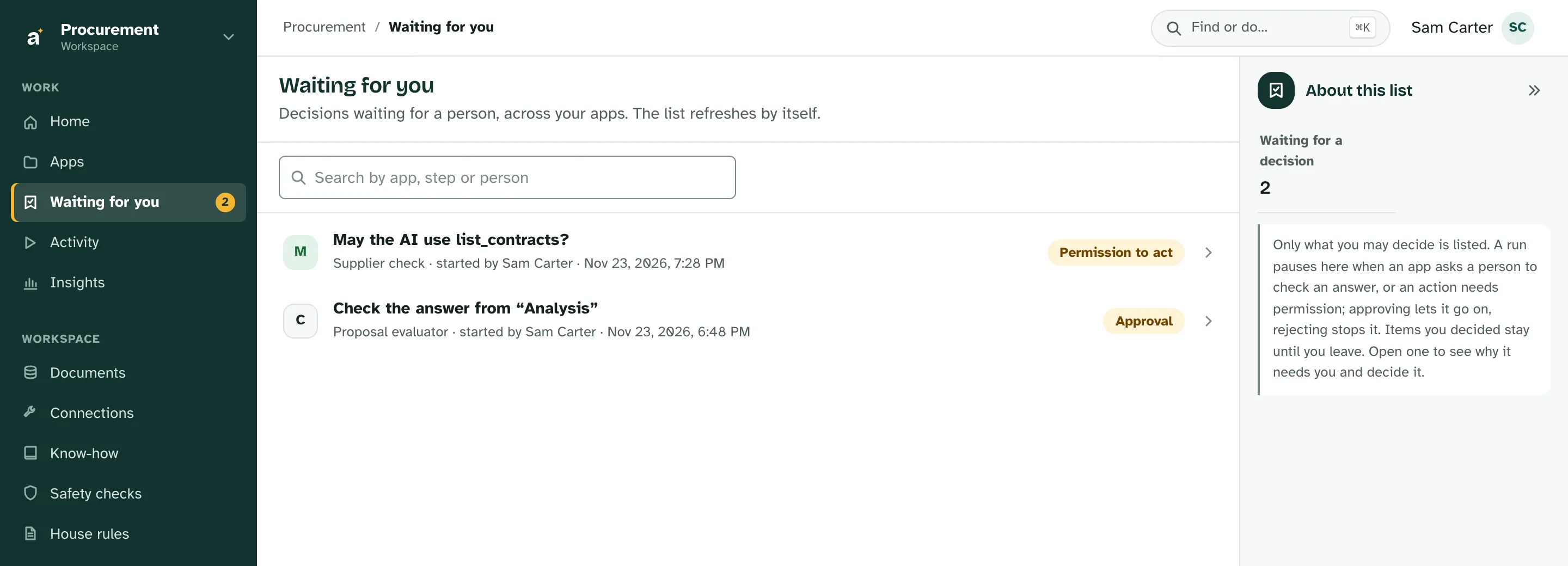
When a quote can't be found, a check fails or an action would change something outside, the run stops and waits in one list, Waiting for you, across every app.
Chat, sites and API
A live app has a form of its own. It can also answer in a chat channel that picks the right app for each question, on a whole website of your apps designed with AI in your own brand, in a widget on any page, or for other systems through the App API. Replies appear as they're written, sources sit in the margin beside the lines that cite them, and a reviewer can decide a waiting review right in the conversation. Approvals, apps and chats work on a phone too.
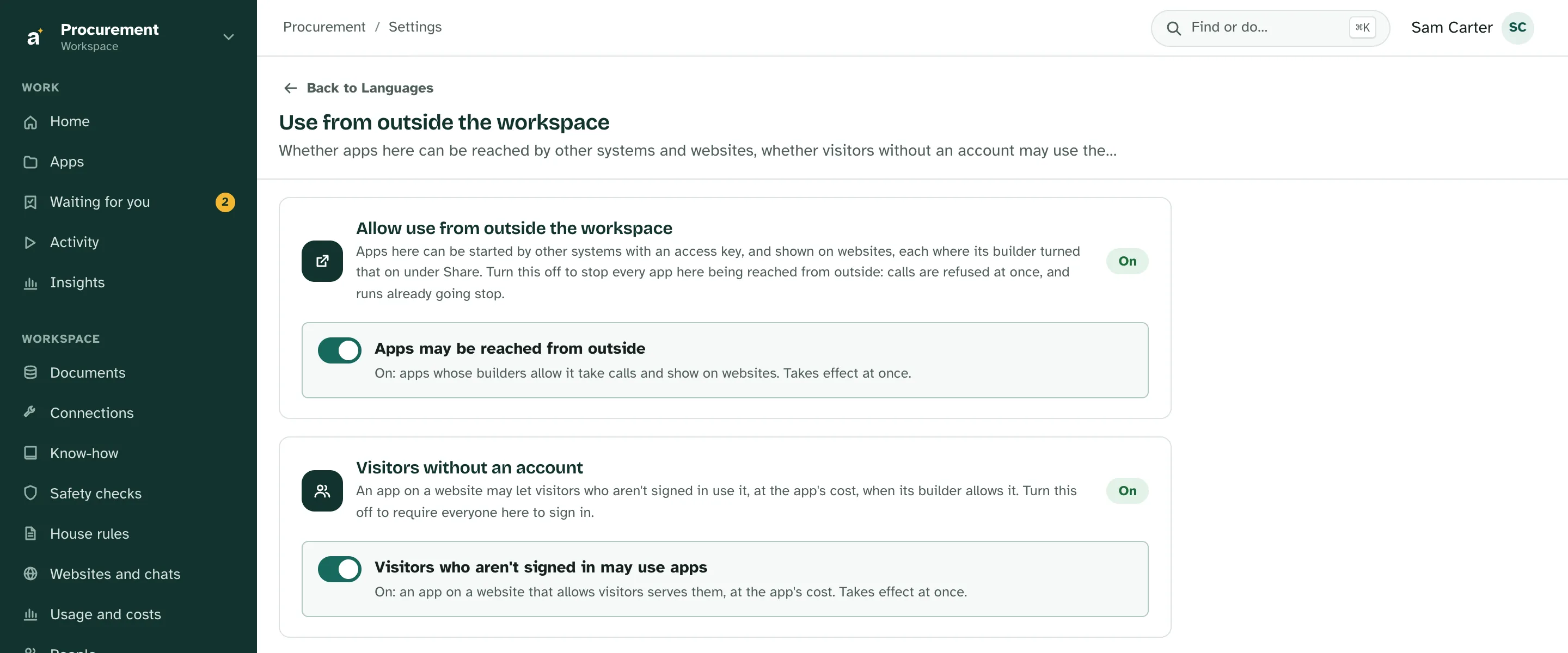
Other systems call apps with an API key, and apps appear on websites, each only where its builder turned that on. An app on your page can take information from your website, such as the customer or case on screen, signed by your server when it matters, and can tell your website what happened when a run finishes. One switch stops every app in a workspace being reached from outside, at once; another decides whether visitors must sign in.
Governance
Safety checks on what goes in and comes out, house rules every app must follow, roles in plain language, tried and locked versions, budgets, and an audit log nobody can edit.
The governance framework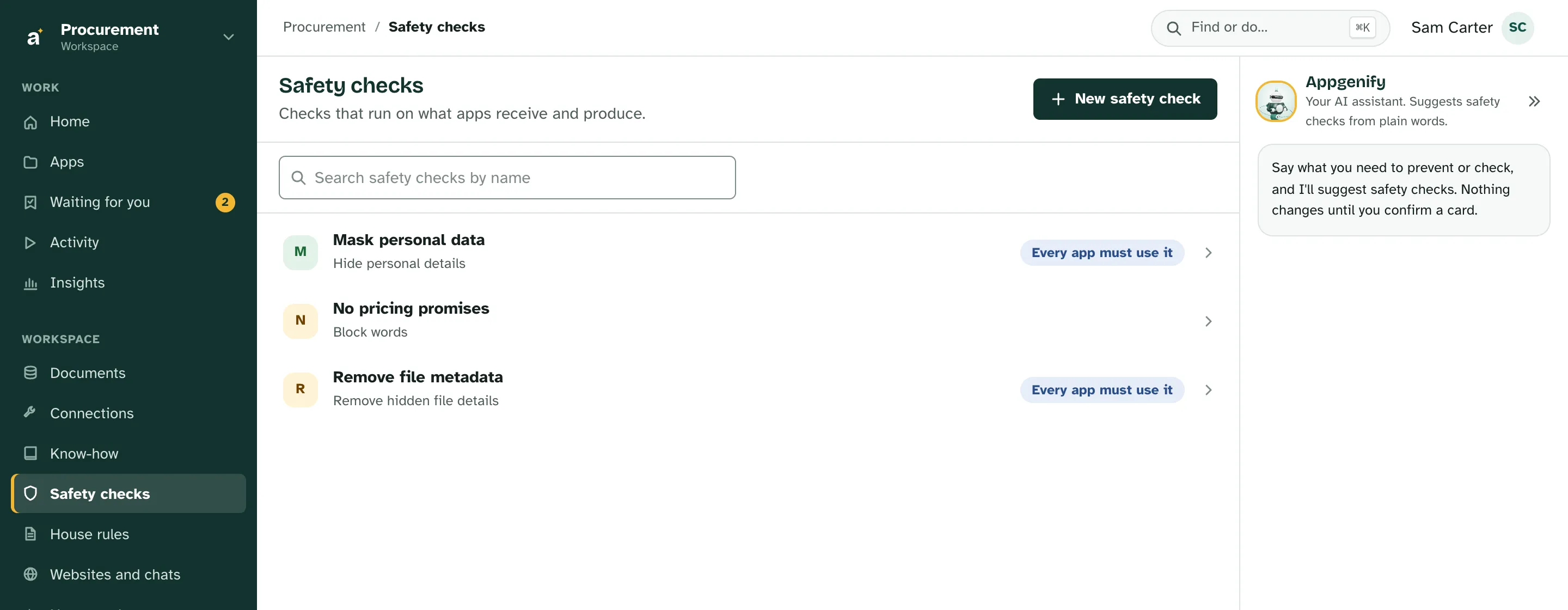
Observability
Figures by app, channel and outcome; quality, models and versions; review waits; failures, retries and alerts; the questions each chat couldn't answer; and every model call counted in Usage and costs.
Observability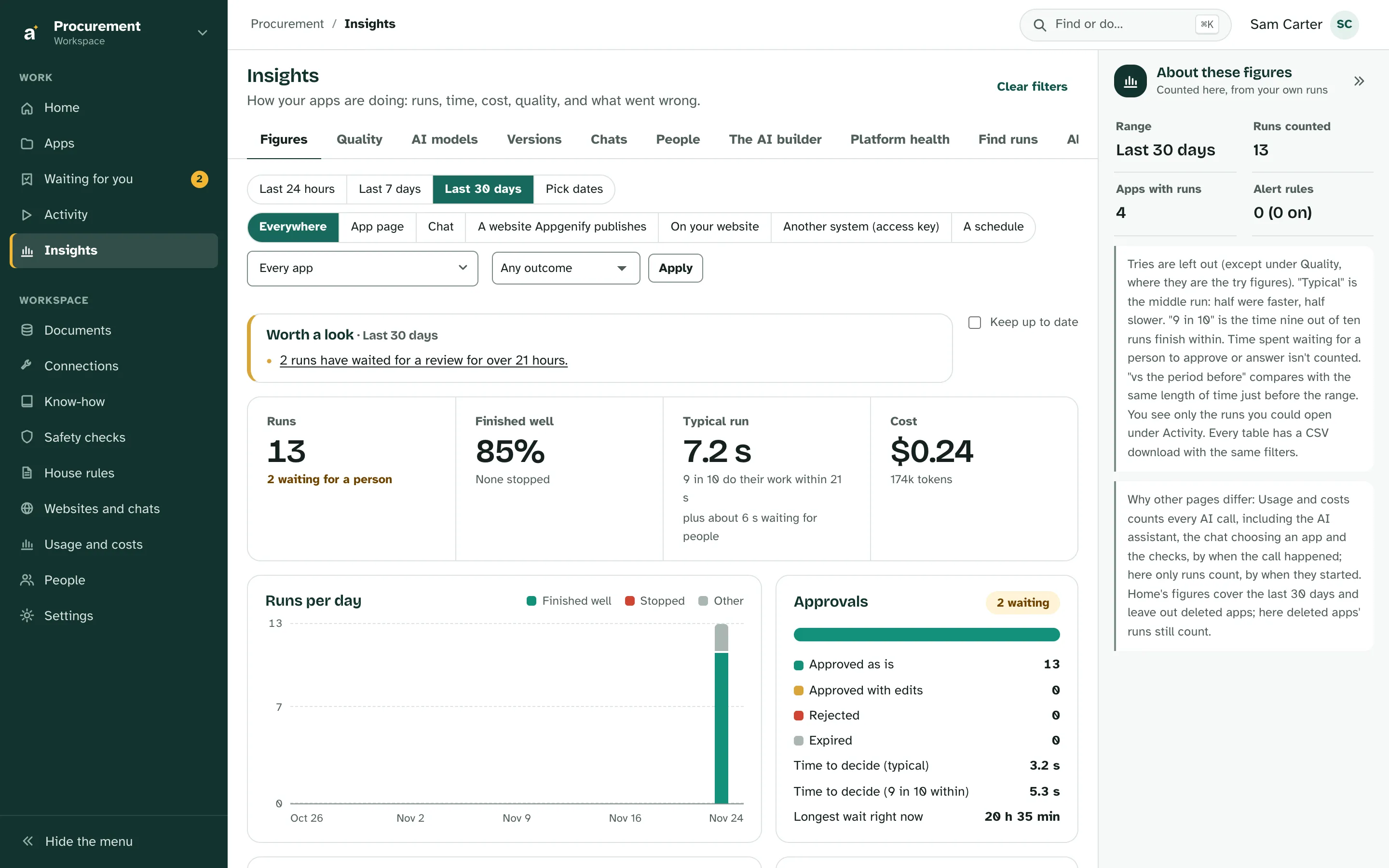
Languages
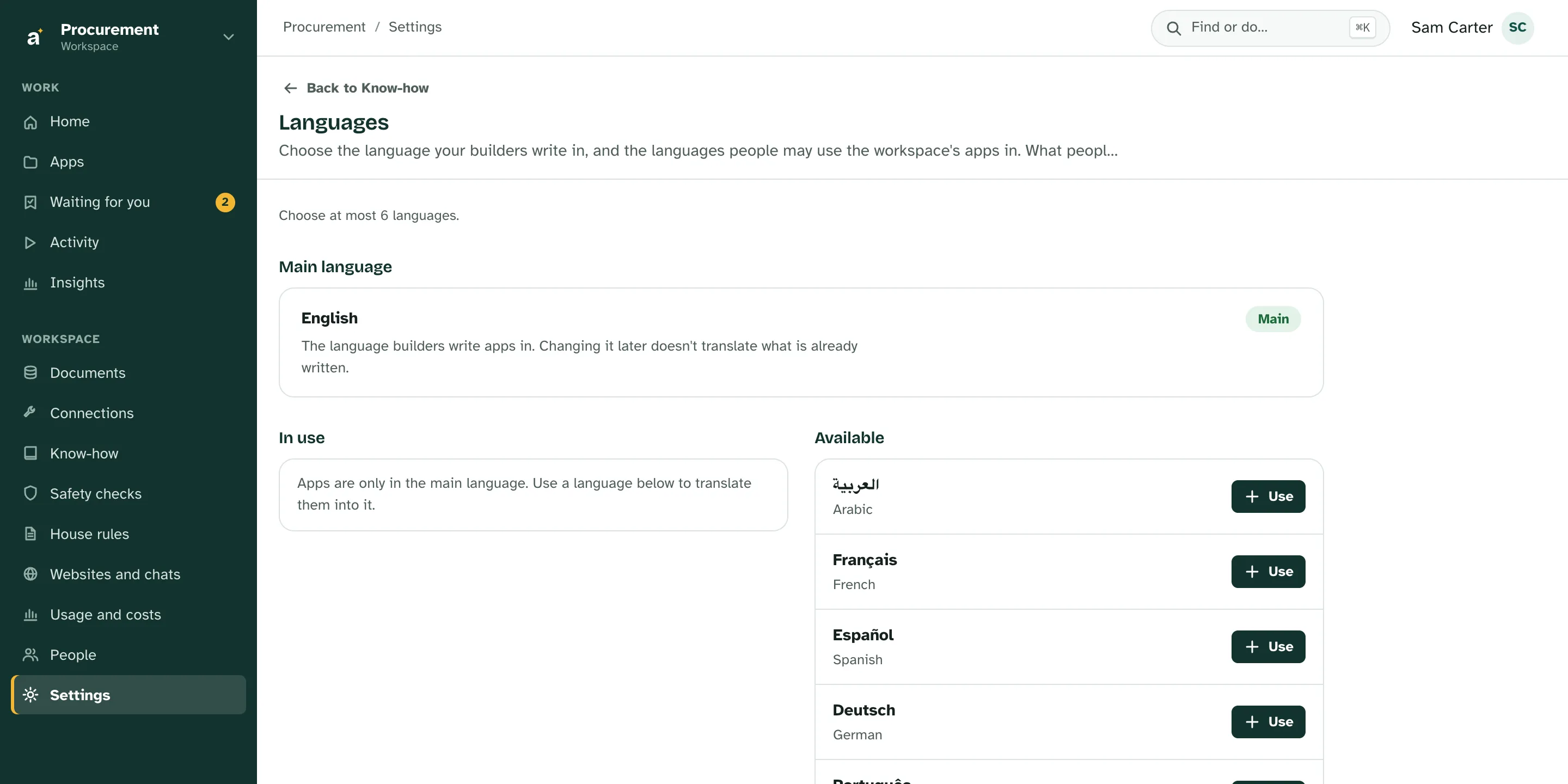
A workspace chooses up to six content languages, and each app's texts are translated into them automatically in the background, keeping any translation a builder wrote. The embed, the App API and websites serve each visitor's language, and generated documents handle right-to-left scripts.
All of this works today. What's next is on the roadmap.
99 capabilities in 9 areas, all available now
From a sentence to a tried, live app
Steps, conditions and people, in order
Read almost anything; write Word, PDF and Excel
Your sources, searched and quoted
Your systems, under approval
Wherever people work
Rules, providers and budgets
Access, sign-in and the record
Multilingual, right to left included
Appgenify is a no-code platform for AI apps. The people who know a process describe the app in plain language and an AI builder drafts it. Every answer quotes the passages it relies on, the platform checks each quote against the source document, uncertain results go to a person, and it runs on your own servers with the AI models you allow.
Anthropic, OpenAI, any OpenAI-compatible service, and any local model running on your own servers. Apps ask for a quality tier (fast, balanced or deep) rather than a named model, so you can change providers in configuration without rebuilding apps. Administrators choose the model, or a speed, for each of the platform's own AI features, such as the app builder, the assistants, translation and a chat's choice of app and its reply, and Usage and costs shows what each feature costs.
Eighteen kinds of data source, including uploaded files, folders, websites, SQL databases, Amazon S3, SharePoint and OneDrive, Google Drive, Confluence, Jira, ServiceNow knowledge bases, a Zendesk help center, Salesforce, Liferay DXP and headless CMSs. Answers are cited to the page, sheet or row they came from.
Yes. Platform administrators, or a workspace for itself if the platform allows, connect MCP servers and REST APIs from an OpenAPI document, and every tool is marked read-only or side-effecting before use. An app calls tools from an agent or directly as a step of its flow, and any call that changes something waits for a person to approve it, unless the app's builder has set that tool to approve automatically, which the platform warns about and records on the run.
Its connector library has fifteen ready-made connections: built-in email over SMTP and IMAP, Microsoft 365 (Outlook, Teams, OneDrive and SharePoint), Google Workspace, Google Sheets, Atlassian Cloud (Jira and Confluence), Jira Data Center, ServiceNow, Zendesk Support, Salesforce, HubSpot, Slack, DocuSign, WhatsApp Business, GitHub and GitHub on your own server. Anything that sends or signs something to people outside always asks a person first. Each comes with setup notes for your IT team and a starter app, people can connect their own accounts, and anything else with an MCP server or a REST API can be connected too.
Answers on screen with their sources beside them, and Word, PDF or Excel files from your templates. Apps can also calculate values exactly with spreadsheet-style formulas.
Bring one process and a few real files. In a demo we'll build its app with you and run it, on the call.
Book a demo