
How it works
One app, many ways in, every step accounted for
An app is a set of AI agents that reads your documents, calls your systems and your other apps, and stops for a person where it should. People reach it wherever they work.
Ways in
People reach the same app wherever they work
Build an app once. It answers on its own page, in a chat, on a website, inside your intranet and for your other systems, always in its latest live version and always as the person asking, with what they may see.
- The app's own formEvery live app has a page where people fill in its inputs and get its results, with the sources beside them.
- Chat channelsPeople ask in plain words. The channel picks the right app, or up to three, asks one clarifying question if it must, and never answers from general knowledge. Each chat lists the questions it couldn't answer, grouped, with guests kept anonymous, to download as CSV.
- A website of appsA site at its own address or your domain, designed with AI inside your brand kit. Open it to your people, to outside visitors or to guests; they pick an app, fill in its form and see its results.
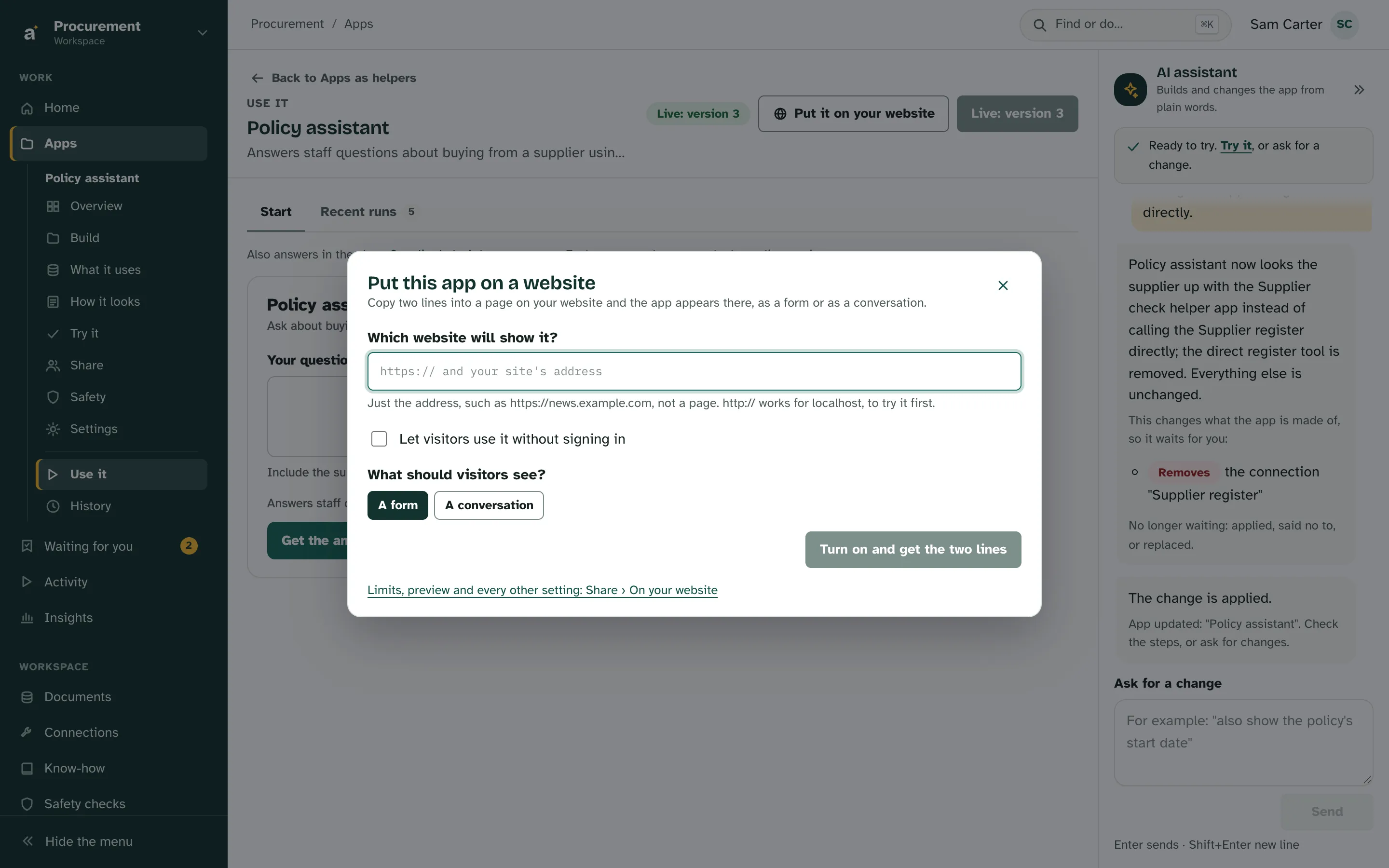
- A widget on any pageTwo lines of HTML put an app on your website, as its form or as a conversation, for signed-in people or for guests if you allow it.
- The App APIOther systems run apps with an API key. One switch stops every app in a workspace being reached from outside, at once.
What an app is made of
Described in a sentence, built from parts you can check
The AI builder turns a description into these parts and shows them as a plan before anything is built, including what it reuses from your workspace.
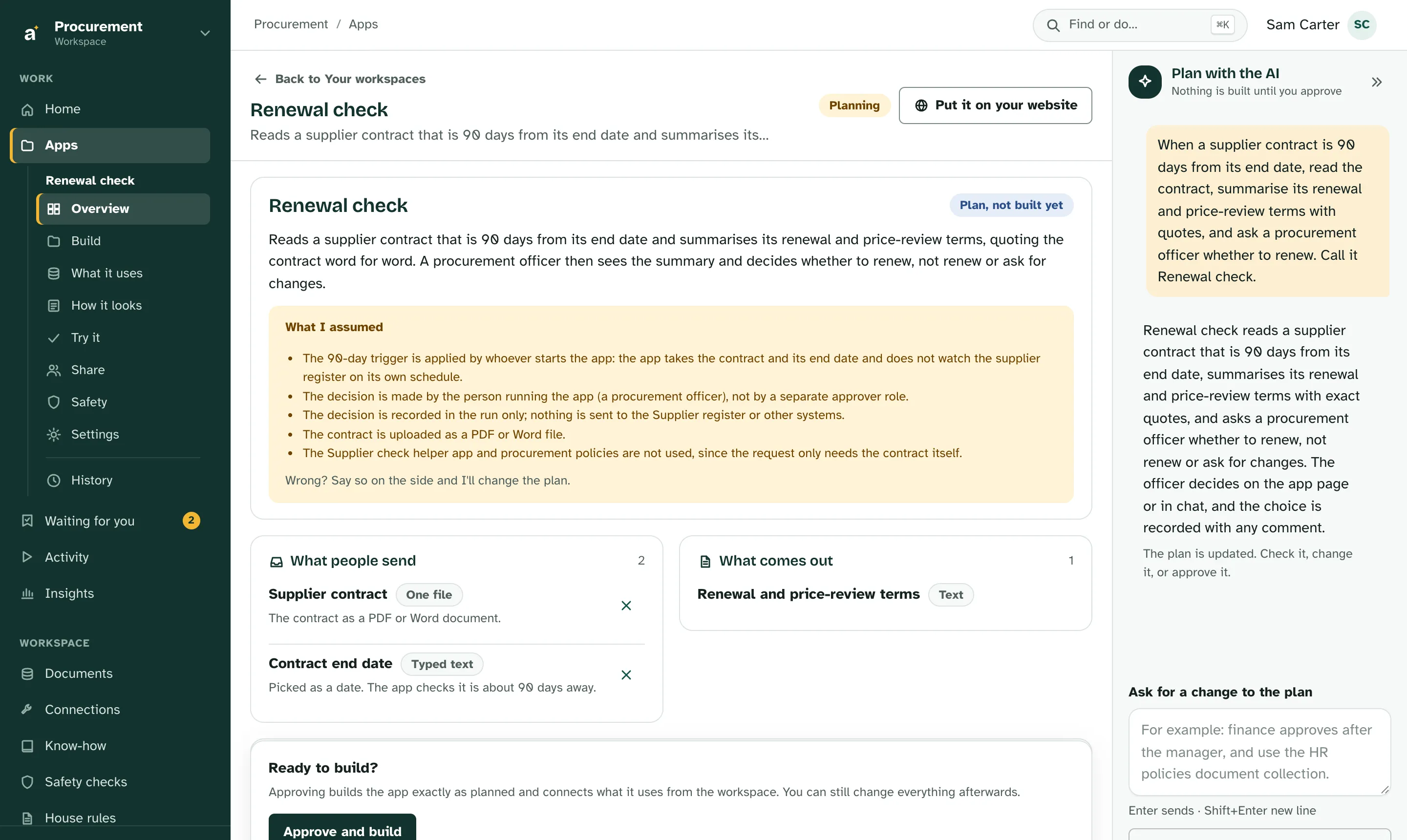
- InputsText, documents, spreadsheets and images people give it.
- AgentsEach with plain-language instructions and a quality tier, fast, balanced or deep, never a named model.
- StepsAgent, search, review, calculate, tool and document steps, in order. A step can run only when its condition holds, or once for each file, list item or spreadsheet row, and formulas work out totals exactly.
- KnowledgeData sources it searches, bound once and checked on every answer.
- ConnectionsReady-made connections, MCP servers, REST APIs, built-in tools, and other apps. Each says whether it acts as the person or as the app.
- Know-howApproved, versioned guidance, such as a scoring rubric.
- PeopleThe app's own roles: who reviews answers, in order if several must, and who approves actions.
- OutputsResults on screen as tables and lists, and Word, PDF or Excel files.
- RulesThe workspace's required safety checks and house rules, always included.
Knowledge (RAG)
How an app answers from your documents
Upload files or keep any of eighteen kinds of source in step. Each is indexed on your own servers.
 Uploaded files
 Server folders
 Public websites
 Databases
 S3 storage
 SharePoint and OneDrive
 Google Drive
 Confluence
 Jira
 Salesforce
 ServiceNow knowledge
 Zendesk help center
 Liferay DXP
 Strapi
 WordPress
 Directus
 Contentful
 Sanity
- Connect a sourcePick one of the kinds above. Databases are read-only, and only the tables you choose.
- Index it on your serversDocuments are parsed in a separate, limited process and indexed with the embedding model your gateway allows. Each shows whether it's ready, and why not.
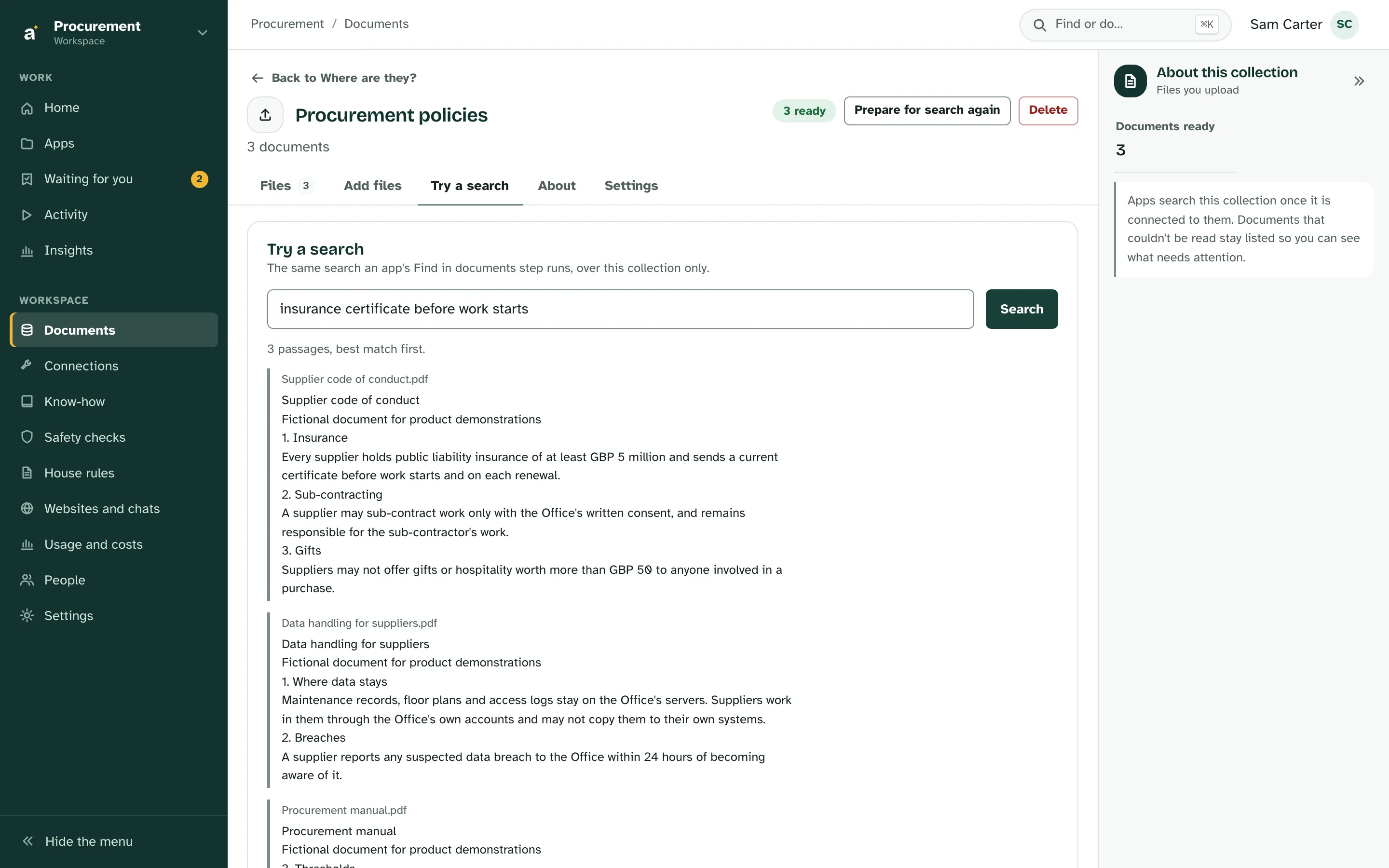
- Search by keyword and meaningA search step finds the passages a question needs, both ways at once, inside the workspace's permissions.
- Answer with quotes, then check themThe agent must quote what it used; the platform looks for every quote in its document before the answer is shown.
Connections and MCP
Your systems, under control
Pick a ready-made connection, or connect any MCP server or REST API. Reading runs freely; anything that changes something waits for a person.
 Microsoft 365
 Google Workspace
 Google Sheets
 Atlassian Cloud
 Jira Data Center
 ServiceNow
 Zendesk
 Salesforce
 HubSpot
 Slack
 DocuSign
 WhatsApp Business
 GitHub
 GitHub on your own server
 Email
- Any MCP server
- Any REST API
Every connection, its actions and what asks a person first
- Runs with the platform's key, the workspace's, or each person's own account
- Changes wait for a person to approve the exact details
- Sending or signing anything to people outside always asks first
- A new or changed tool stays off until it's checked
Apps calling apps
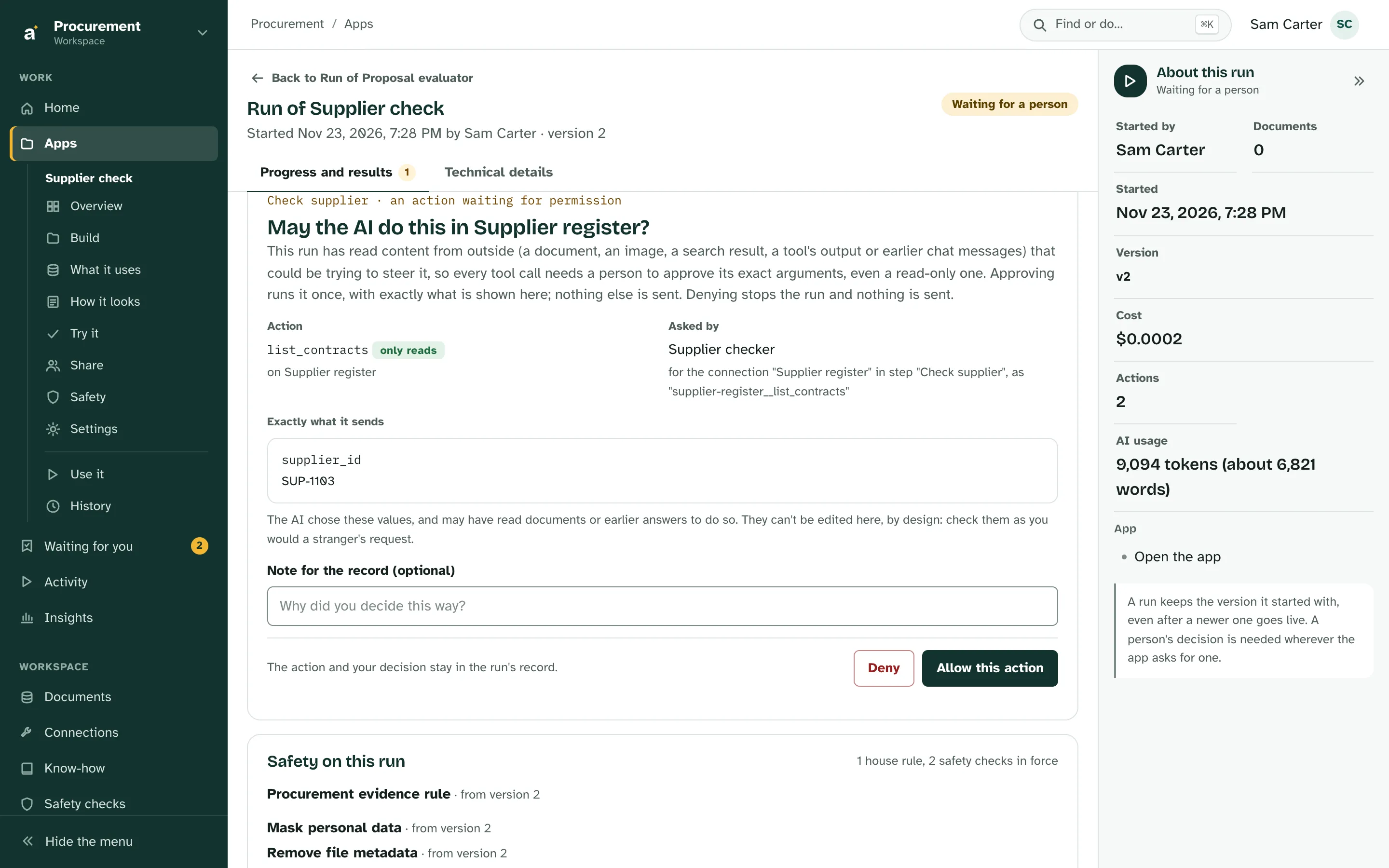
One app can use another as a tool
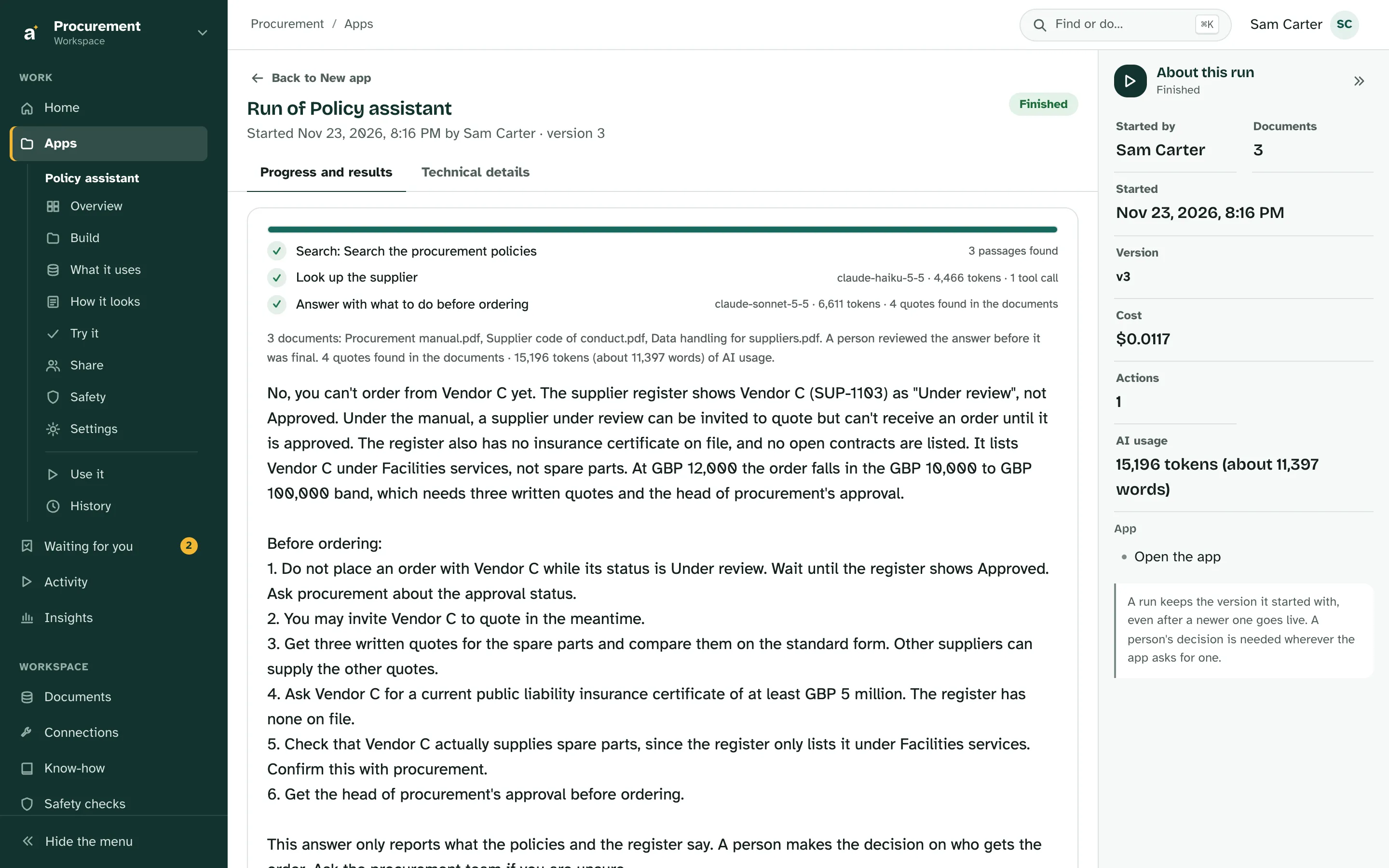
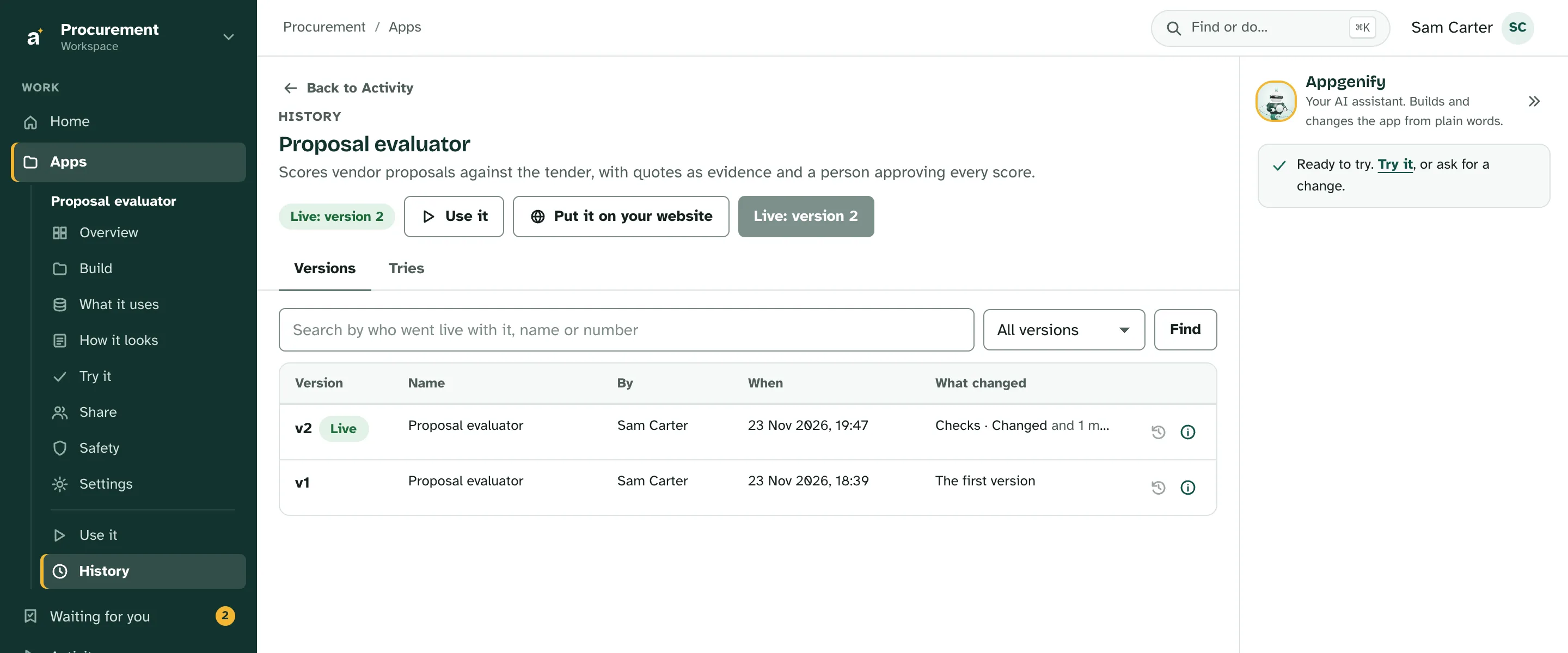
Build a helper once, such as a supplier check, and let other apps call it. The call runs as the helper's own run, as the person using the calling app, under the helper's own limits, budget, safety checks and reviews. Only its answer comes back.
- The workspace allows itOne switch for the whole workspace. Off stops every app calling another.
- The helper allows it"Helper for other apps", in the helper's own settings.
- The calling app picks itUnder What it uses, tried and made live with it. Calls go at most three apps deep.
Inside a run
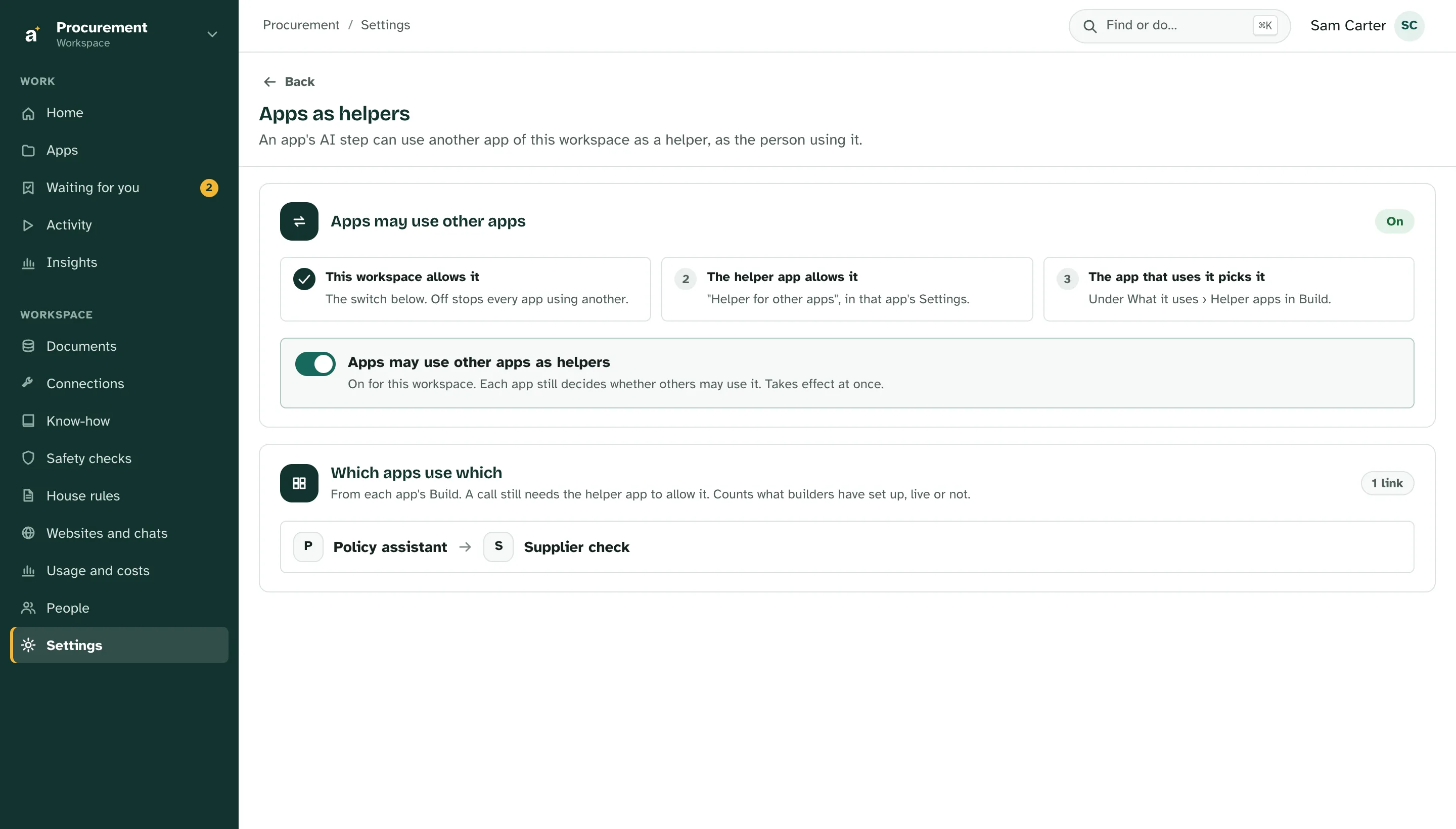
Everything one run did, in order
This run searched the policies, called the Supplier register over MCP and the Supplier check app as a tool, waited for a person before each call, and kept the house rule and safety checks it ran under.
What every run goes through
1
Files arriveTypes are read from their contents. Guardrails run before a file is stored or seen: metadata removed, personal data masked, words blocked.2
Agents read and quoteEach agent follows the live version's instructions and must quote the passages it relies on.3
Every quote is checkedThe platform looks for each quote in the source document itself, never taking the model's word for it.4The check decides
- Quotes found, nothing flaggedThe step carries on.
- Missing, unfound or flaggedA reviewer approves, edits or rejects it.
5
Actions wait for approvalA tool that changes something outside pauses until a person approves its exact arguments, unless its builder made it automatic.6
Results and filesAnswers with their sources beside them; Word, PDF or Excel files only after every review has passed.7
The recordEvery step, quote, decision and cost, kept with the version it ran on.
Build and go live
From a sentence to a version people can rely on
- DescribeSay in plain words what the app should do.A business user
- DraftInputs, agents, steps, reviews and the results screen.The AI builder
- Try itA run on real files. Skipping it marks the version Not tried.The builder and the platform
- Go liveA locked version. Any change needs a new try.Someone allowed to make it live
- RunFrom a form, a chat, a website or the App API.Anyone allowed to run it
- DecideUncertain answers and outside actions wait for a person.A reviewer
- KeepInputs, steps, quotes, reviewer, edits and cost.The platform
Tried before it goes live, locked once live
Try it runs the saved draft through the normal engine. Go live asks for a completed try of that exact draft. A builder can go live without one only by confirming it, and that version is marked Not tried, with an alert, until a try of it completes. Each live version keeps its connections, documents, know-how, safety checks and house rules.
- Runs keep the version they started with
- Earlier versions can be restored into the draft
- Changing a connection, source or rule means trying it again
What would your team wish for?
Bring one process and a few real files. In a demo we'll build its app with you and run it, on the call.
Book a demo