
Connections
Your agents work in your systems. Your people decide what changes.
15 ready-made connections with 231 actions, any MCP server and any REST API. Of those actions, 149 only read and run freely; every one that changes something waits for a person.
Pick a system. Its actions come ready.
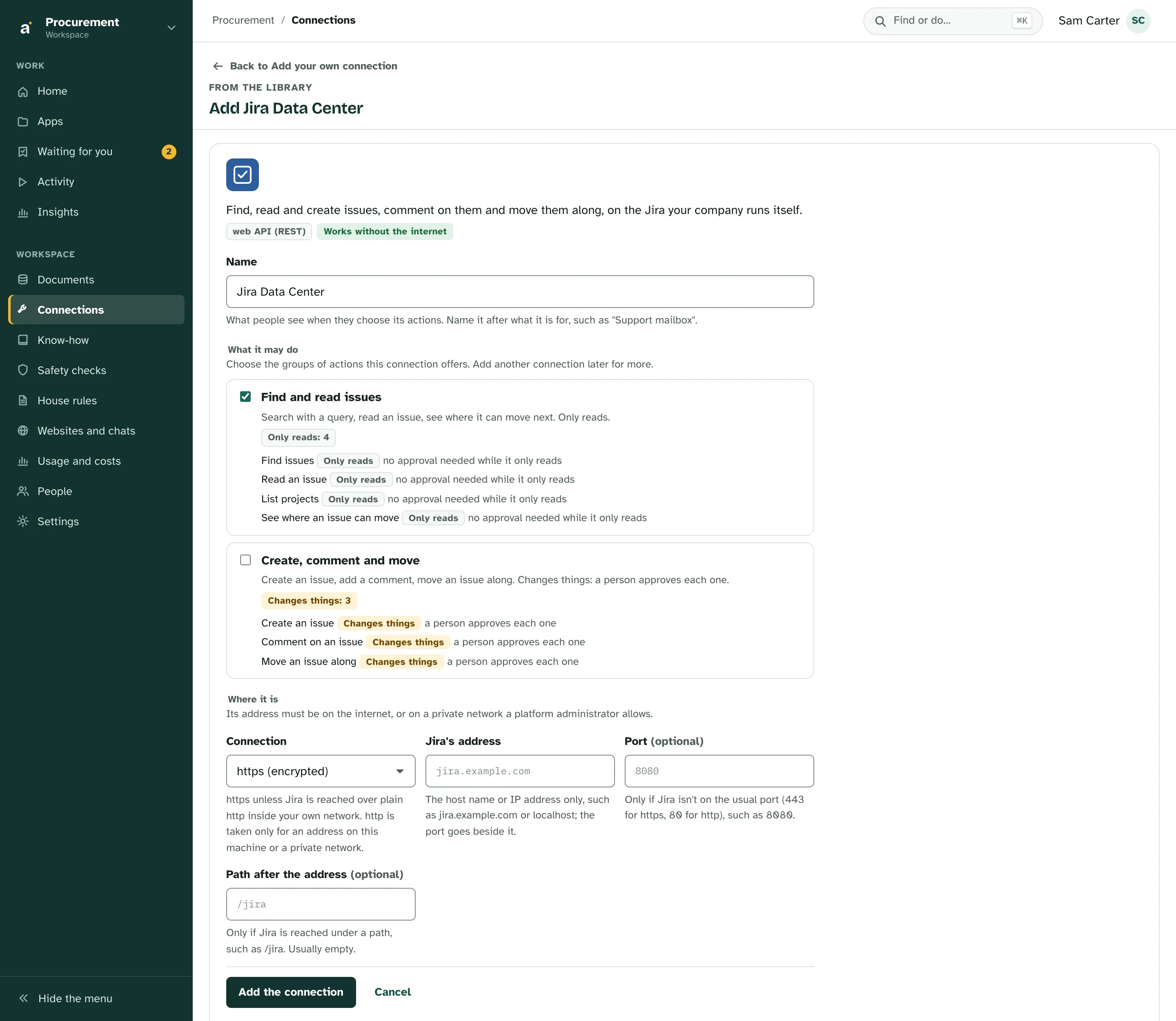
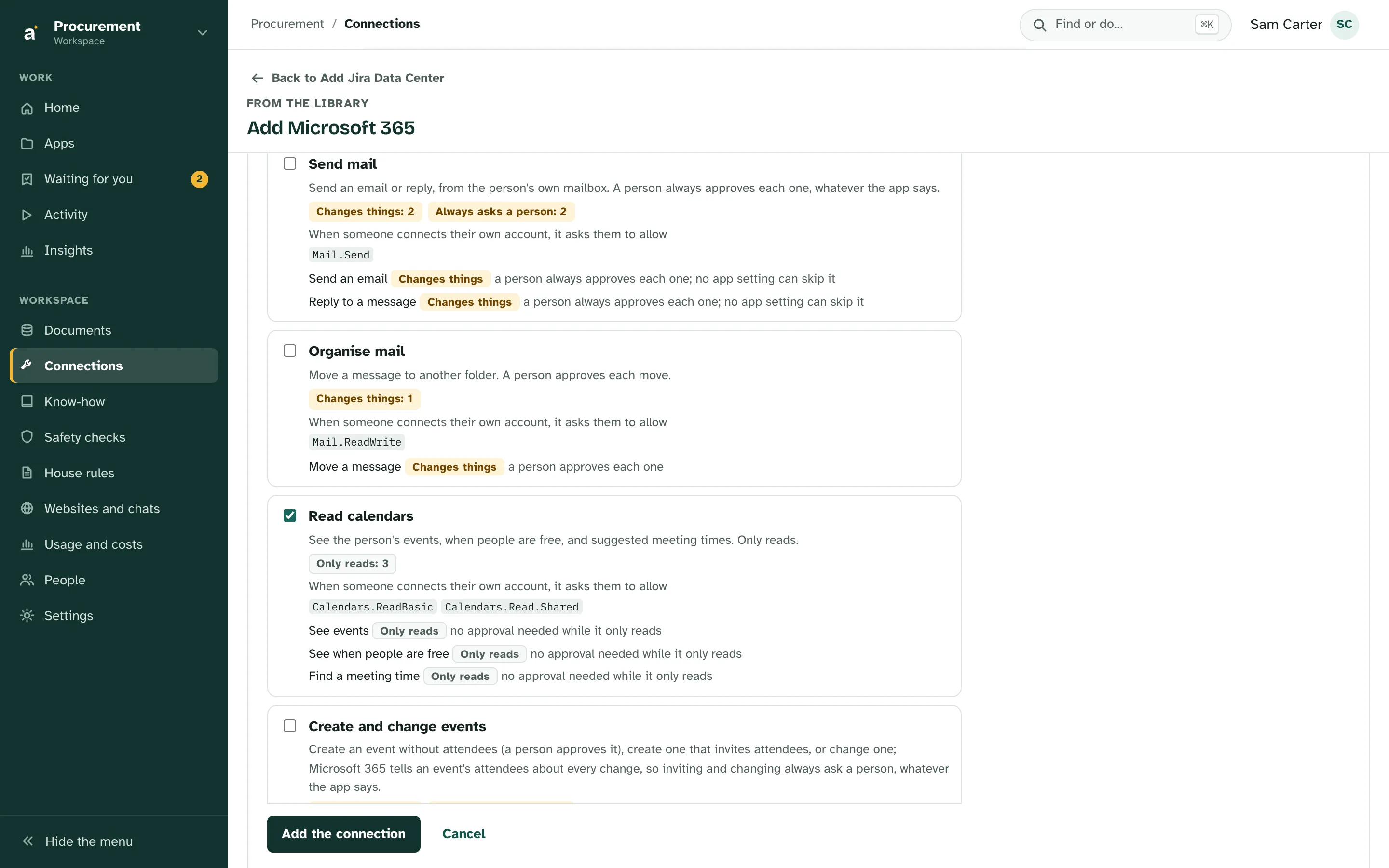
Every connector in the library arrives with its actions chosen, named in plain words and sorted into groups, each one marked as only reading or changing something. You choose which groups an app may use; the rest stay off.
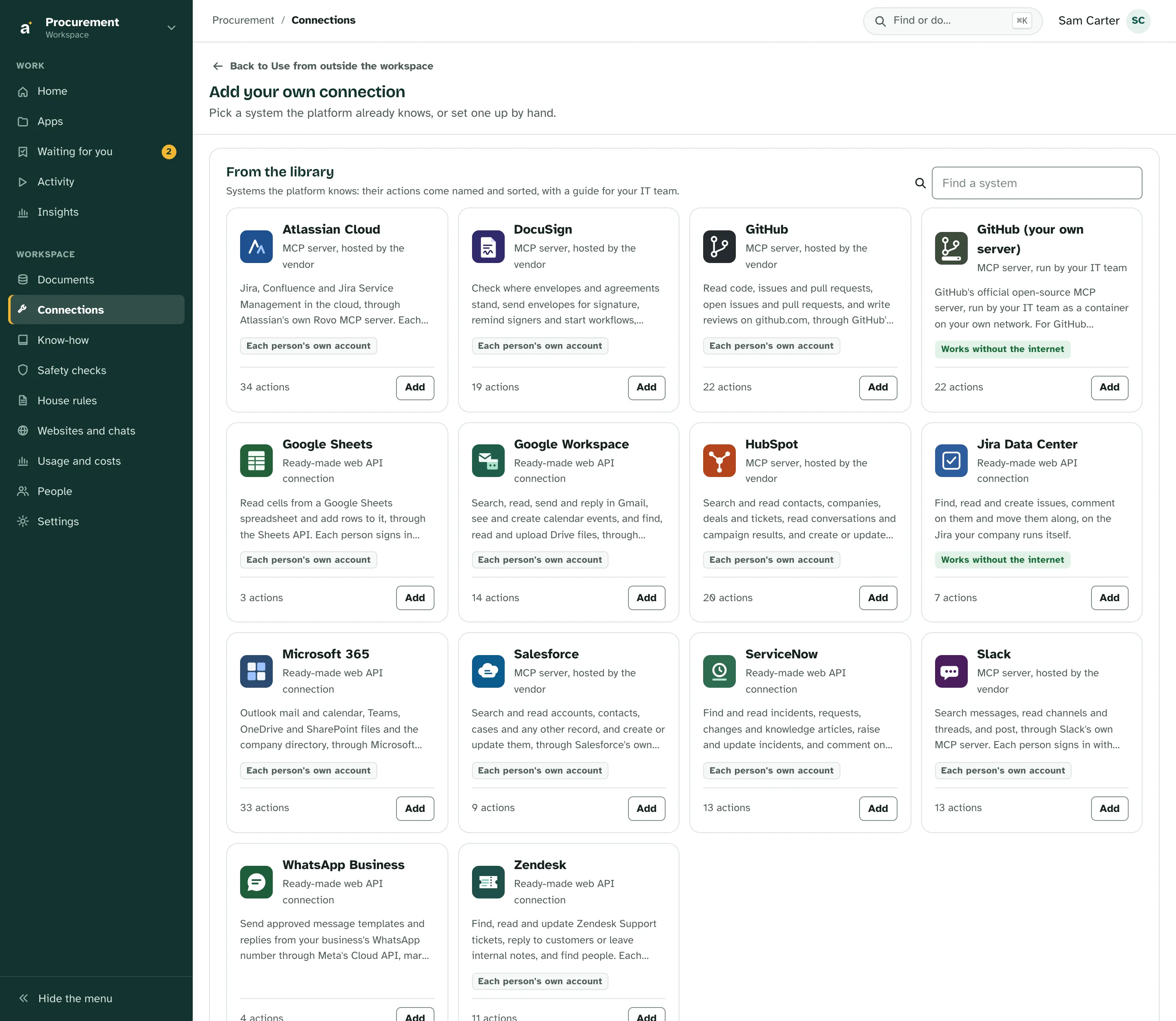
Ready-made API connections
The platform calls the system's own web API with the actions already chosen, named in plain words and sorted.
 Microsoft 365
Outlook mail and calendar, Teams, OneDrive and SharePoint files, and the company directory, through Microsoft Graph.
20 only read13 change things
Always asks a person: sending mail and inviting people to meetings
 Google Workspace
Search, read, send and reply in Gmail, see and create calendar events, and find, read and upload Drive files.
7 only read7 change things
Always asks a person: sending mail and inviting guests to events
 Google Sheets
Read cells from a spreadsheet and add rows to it.
2 only read1 change things
 Jira Data Center
Find, read and create issues, comment on them and move them along, on the Jira your company runs itself.
4 only read3 change things
 ServiceNow
Find and read incidents, requests, changes and knowledge articles, raise and update incidents, and comment on them.
9 only read4 change things
 Zendesk
Find, read and update Support tickets, reply to customers or leave internal notes, find people and read help center articles.
6 only read5 change things
Always asks a person: replying to a customer
 WhatsApp Business
Send approved message templates and replies from your business's WhatsApp number, mark messages read and look up media.
1 only read3 change things
Always asks a person: every message sent
The vendor's own MCP server
The system's official MCP server, hosted by the vendor. The platform knows which of its tools only read and which change things.
 Atlassian Cloud
Jira, Confluence and Jira Service Management in the cloud, through Atlassian's own Rovo MCP server.
22 only read12 change things
 Salesforce
Search and read accounts, contacts, cases and any other record, and create or update them, through Salesforce's own MCP servers.
6 only read3 change things
 HubSpot
Search and read contacts, companies, deals and tickets, read conversations and campaign results, and create or update records.
15 only read5 change things
Always asks a person: publishing pages, blog posts and social posts
 Slack
Search messages, read channels and threads, and post, through Slack's own MCP server.
8 only read5 change things
 DocuSign
Check where envelopes and agreements stand, send envelopes for signature, remind signers and start workflows.
14 only read5 change things
Always asks a person: sending, correcting or voiding envelopes, and reminding signers
 GitHub
Read code, issues and pull requests, open issues and pull requests, and write reviews on github.com.
16 only read6 change things
Always asks a person: merging a pull request
On your own network
GitHub's official MCP server, run by your IT team as a container, and email built into the platform. Both work with no internet at all.
 GitHub on your own server
GitHub's official MCP server, run as a container on your network, for GitHub Enterprise Server or a platform without internet.
16 only read6 change things
Always asks a person: merging a pull request
 Email
Send and reply to email, and search, read and organise a mailbox, on any mail server over SMTP and IMAP.
3 only read4 change things
Always asks a person: sending and replying
Reading is free. Changing waits for a person.
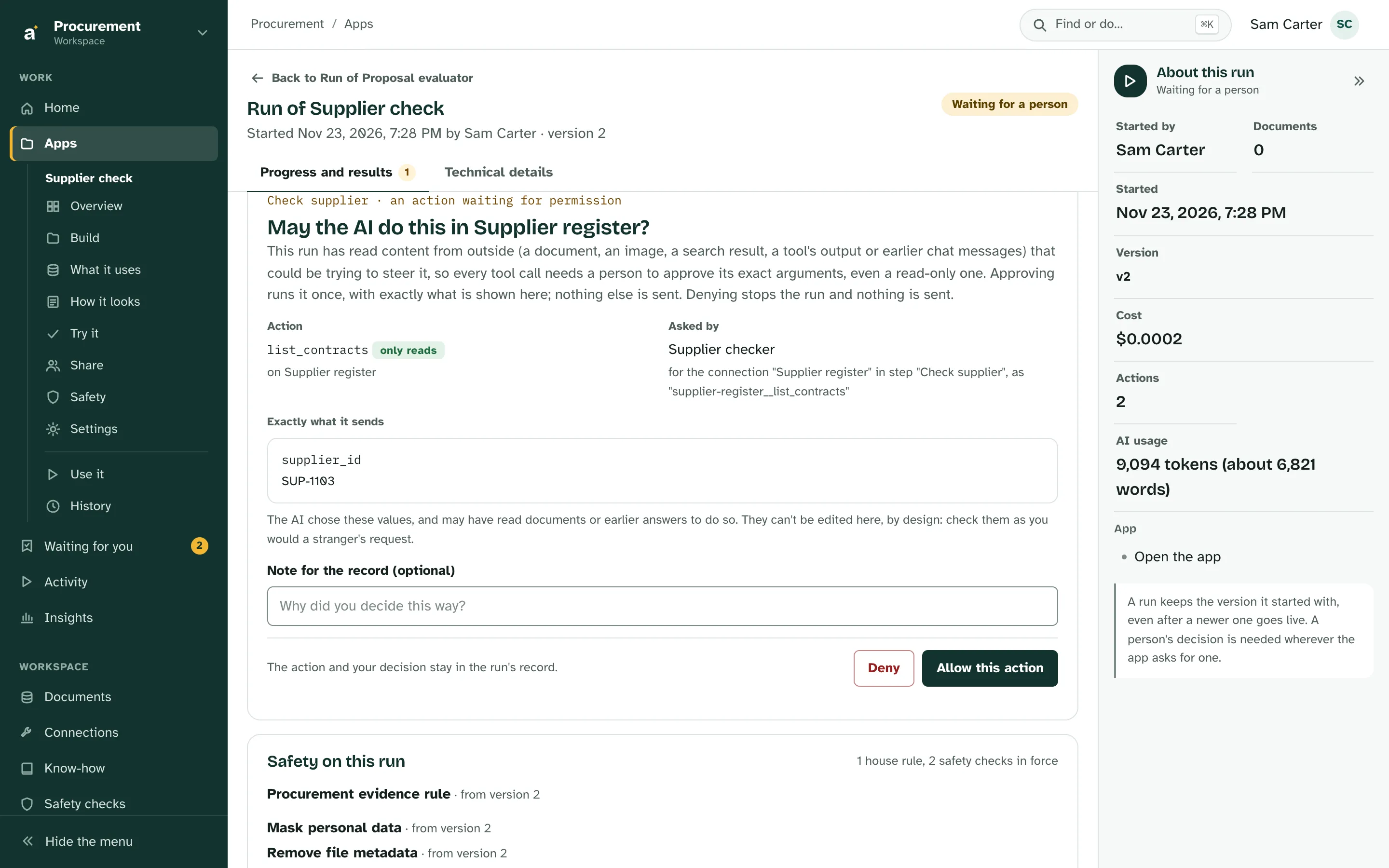
An agent may search, look up and read as much as its app allows. The moment it wants to create, update, post or send, the run stops and shows a person exactly what it will send. They allow it or deny it, and the decision stays with the run.
- Once a run has read outside material, such as a document, a web page or another system's reply, every action waits for a person, even one that only reads
- A person approves the exact arguments the AI chose; they can't be edited on the way, so what is approved is what is sent
- A builder can set one action to approve itself. The platform warns them, a safety check's flag still stops the call, and the run records that it was approved automatically
- A tool that is new or has changed stays off until someone marks it again as reading or changing
Anything with an MCP server or an API
The library covers the systems most teams share. Your own line-of-business systems, and any vendor's, connect the same way, without code.
- From the library
Pick a system, choose which groups of actions it may use, and it's ready: each action named, sorted and marked as only reading or changing something, with setup notes for your IT team and a starter app.
- Any MCP server
Register a remote MCP server by its address, or run one as a program on your own servers. Catalog servers with thousands of tools work too, each tool marked on its own.
- Any REST API
Point the platform at an OpenAPI document and choose the operations to offer, with how each signs in. No code, and nothing to deploy.
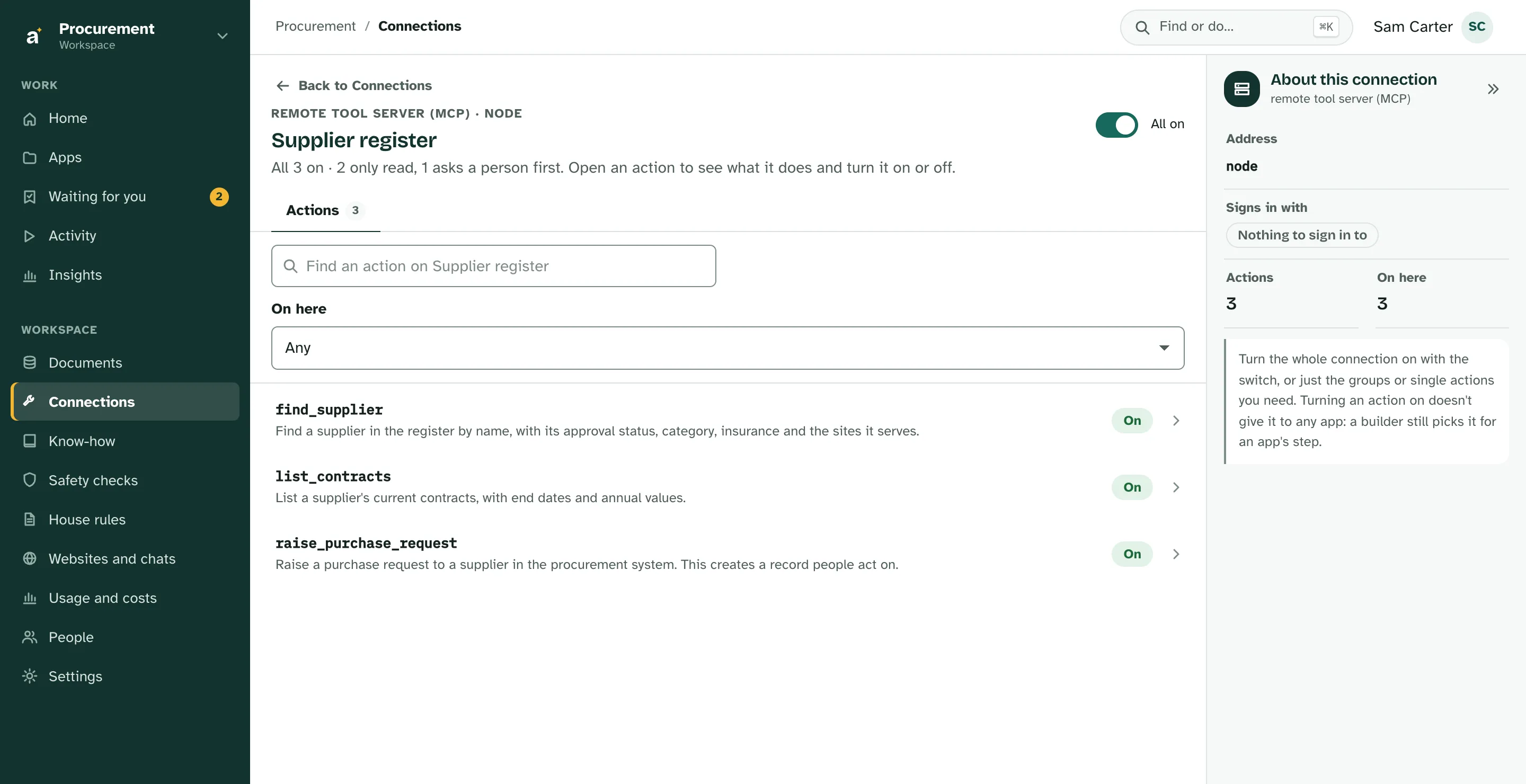
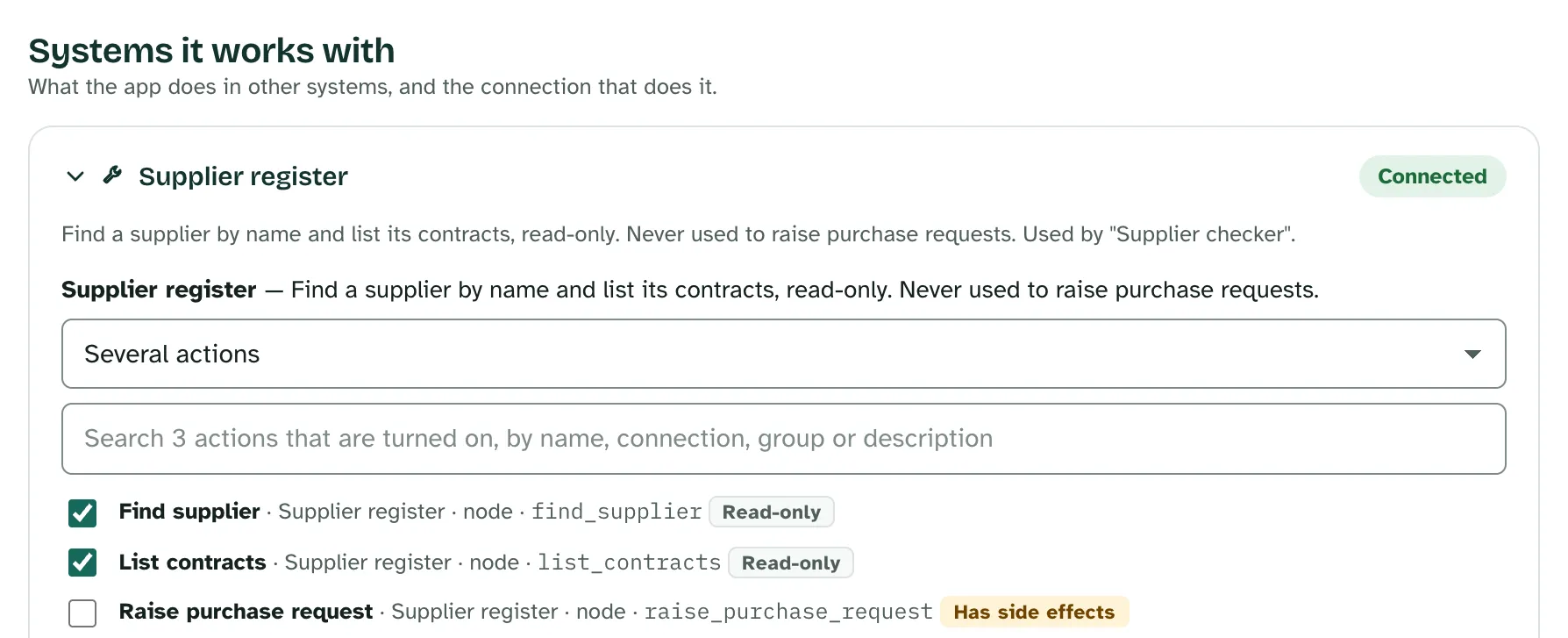
As the person using it, with their permissions
Most library connections sign each person in with their own account. An app then reaches only what that person could reach in Salesforce, Slack or Microsoft 365, and the other system keeps applying its own rules.
- The first time an app needs someone's account, it asks them to connect it, and their system asks them to allow only what the connection needs
- Each connection in an app says whether it acts as the person using it or as the app itself
- For your own servers, the platform signs a short-lived token naming the person for each call, so your system can check who is asking
- People see their connected accounts in their profile and can disconnect any of them; the other system is asked to forget the access too
On your own network, with no outside connection
Built-in email, Jira Data Center and GitHub's own MCP server work with no internet at all, as do your own MCP servers and APIs. Plain http is allowed only to addresses on a private network, keys are encrypted and can never be read back, and when a library connection gets a new version, yours shows what changes and updates only after you confirm.
How data, access and keys are protected · How approvals and safety checks work
Questions about connections
Which systems can Appgenify connect to?
Its connector library has 15 ready-made connections: Microsoft 365, Google Workspace, Google Sheets, Atlassian Cloud (Jira and Confluence), Jira Data Center, ServiceNow, Zendesk, Salesforce, HubSpot, Slack, DocuSign, WhatsApp Business, GitHub, GitHub on your own server, and built-in email over SMTP and IMAP. Any other system with an MCP server or a REST API with an OpenAPI document can be connected too.
Does Appgenify support MCP servers?
Yes. Administrators register remote MCP servers by their address, or run an MCP server as a program on their own servers, and a workspace can add its own if the platform allows it. Seven library connectors use MCP: six vendors' own hosted servers and GitHub's official server run on your network. Every tool an MCP server offers is marked as only reading or changing something before an app can use it.
Can an AI agent change data in our systems without anyone approving it?
Not by default. Actions that only read run freely. Any action that changes something waits for a person to approve its exact arguments, unless the app's builder deliberately sets that action to approve automatically, which the platform warns about and records on every run. Actions that send or sign something for people outside, such as sending an email, replying to a customer or sending a document for signature, always wait for a person, whatever the app's settings.
Whose permissions does an app use in a connected system?
With most library connections, each person signs in with their own account in that system, so an app reaches only what that person could, and the other system applies its own permissions. Each connection in an app says whether it acts as the person using it or as the app. Connected accounts are encrypted, listed in each person's account, and can be disconnected at any time.
Do connections work without the internet?
Yes, for systems on your own network. Built-in email, Jira Data Center and GitHub's MCP server run on your network work fully offline, as do your own MCP servers and REST APIs. Plain http is allowed only to private-network addresses.
How are connection credentials stored?
Keys and passwords are encrypted and tied to your servers. Nobody can read one back once it is saved; it can only be replaced. When a library connection gets a newer version, yours shows what changes and updates only after you confirm.
Connect one system in a demo
Bring the system your team works in. We'll connect it, build an app that reads from it and asks before it changes anything.
Book a demo