
Governance
Governance built into every app
IT and risk set the rules once. Every app inherits them, every version is tried against them, and every run is held to them, without slowing the teams who build.
The framework
Four layers, each setting limits the one inside can only narrow. Read it from the outside in: what the platform allows, what a workspace requires, what an app is built with, and what happens every time it runs.
Platform
Platform administrators- Which AI providers and models exist, routed into fast, balanced and deep tiers
- Which connections exist, each action classified read-only or side-effecting
- Which server folders a workspace may read
- Which providers each workspace may use
Workspace
The team's owners and admins- Roles in plain language; nobody grants more than they hold
- Required safety checks and house rules no app can remove
- Which approved connections are switched on
- Members, groups and who may make apps live
App
The people who build it- A version is tried before it goes live, or marked Not tried
- Who approves, and where
- Cost, time and step limits, and a monthly budget
- Providers narrowed further for confidential work
Run
Every time, automatically- Every quote checked against its source
- Uncertain answers and outside actions wait for a person
- Access checked again at every step
- An audit log nobody can edit or delete
Five rules the platform enforces
- Narrow, never widenEach layer works inside the limits of the one above. An app can use fewer providers than its workspace, never more.
- Required means requiredA safety check or house rule marked required is on every app, and no builder, AI builder or API call can remove it.
- Tried before trustedGo live asks for a completed try of that exact draft; skipping it takes a deliberate confirmation and marks the version Not tried until a try passes. A live version never changes.
- People own the decisionsUncertain answers and actions with side effects wait for a person, unless a builder deliberately makes one tool automatic, and the agent's original stays in the record.
- Nobody outranks the rulesNo one can grant a role with more power than they hold, and the audit log can't be edited or deleted, even by the database owner.
Safety checks: guardrails on what goes in and comes out
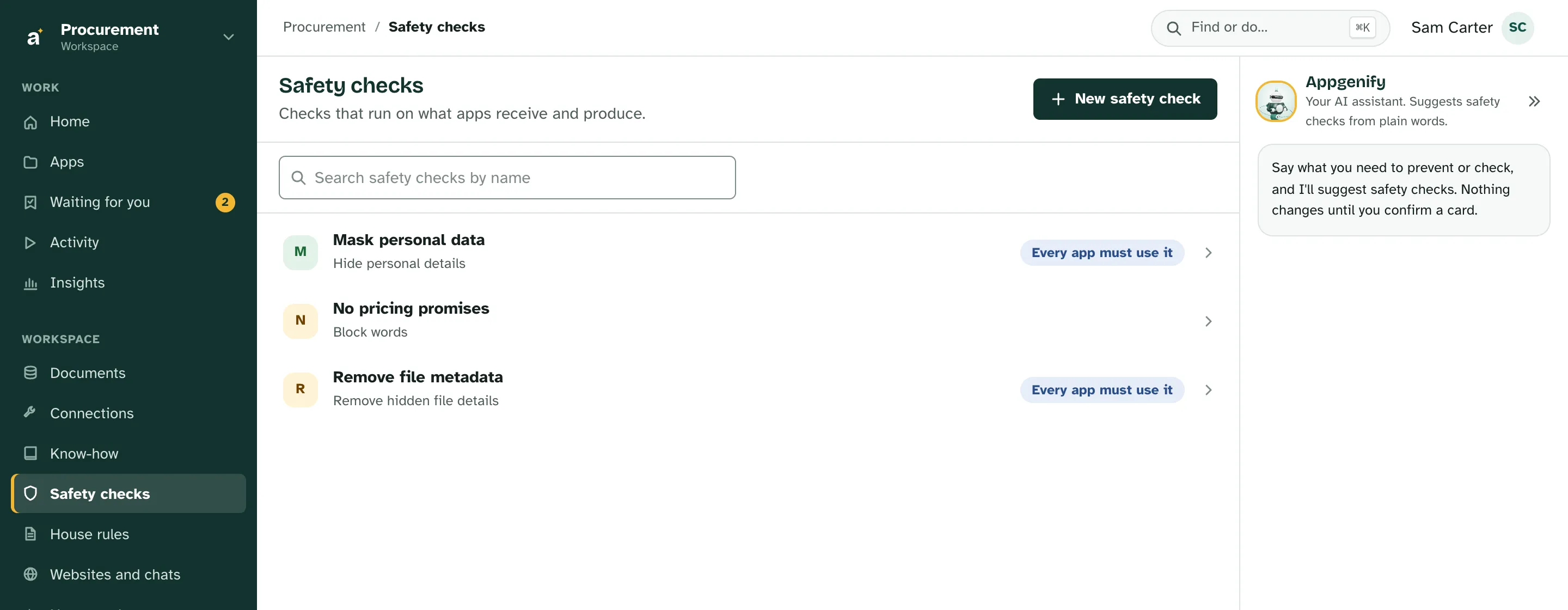
A workspace's library of checks, run before a file is stored, before an agent sees it, on a model's output and on tool calls. Each one allows, changes, flags or blocks, and every action shows on the run.
- Mask personal data, remove file metadata, block words, or a custom rule in plain words
- Defaults for new apps, and required ones no app can remove
- An AI assistant suggests safety checks; nothing changes until you confirm
House rules: policies every app must follow
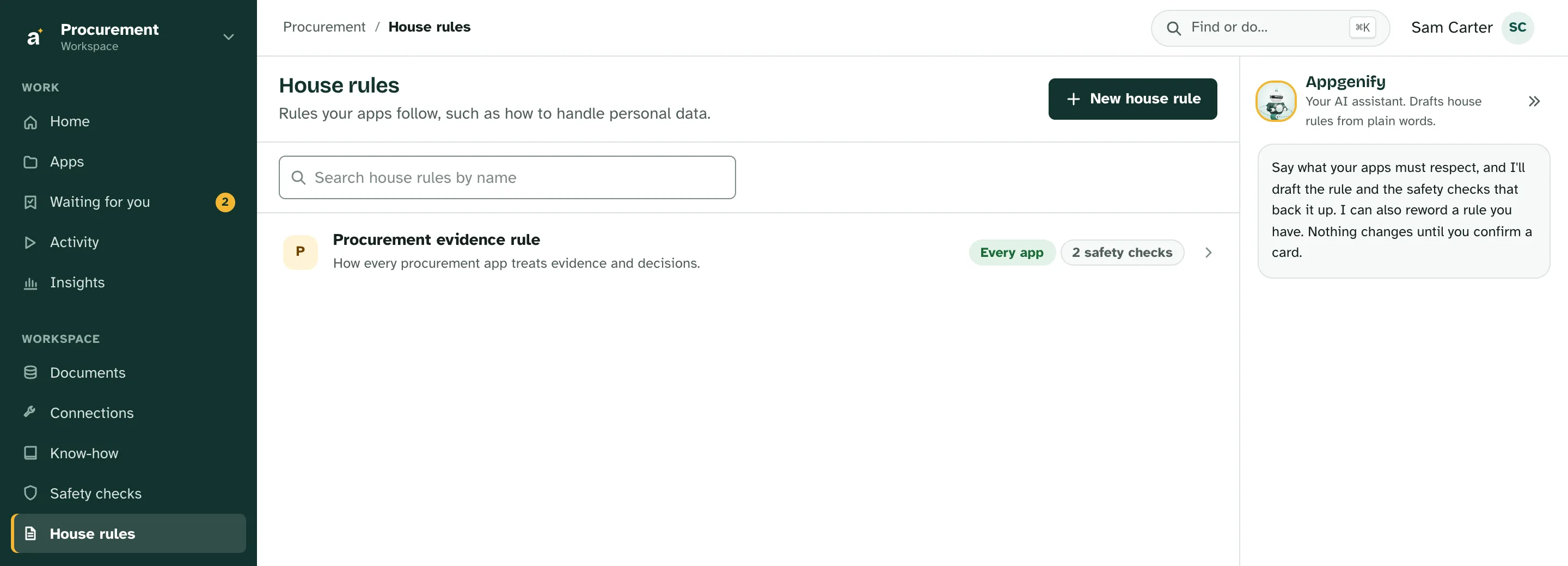
A house rule is instructions in plain words, with the safety checks that enforce them. Mark it required and it applies to every app in the workspace, locked into each version that's tried with it.
- Written once, applied everywhere
- Linked safety checks travel with the house rule
- Changing one means trying it and going live again
Access per app and channel, in plain language
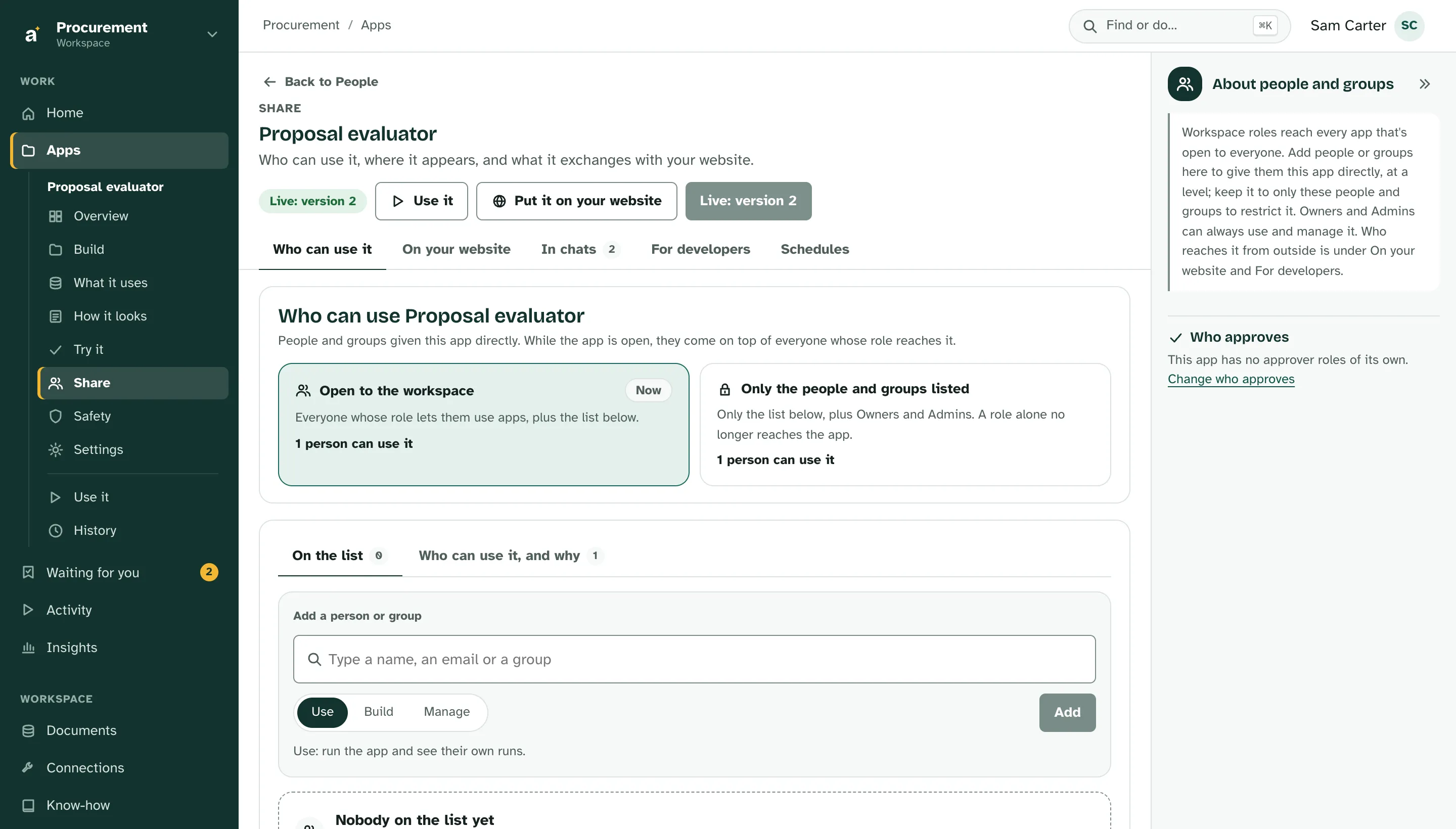
Access is denied by default. Workspace roles set the broad defaults, and each app and channel has its own list of people and groups, at Use, Build or Manage. Restrict one and only its list gets in; Owners and Admins can always manage it, so nothing gets locked away.
- Every app and channel says who has access and why
- Someone turned away is told why and whom to ask
- Groups can fill themselves from profile rules, such as everyone in Finance
- Access re-checked at every step of a run
How data, sign-in, files and secrets are protected is on the security page. What each run leaves behind is on observability.
Bring your rules to the demo
Tell us what your risk team needs to see. We'll set it up as guardrails and policies and show a run held to them.
Book a demo